The Harmonizer
®
Programmer’s Manual
© 1999-2008 Eventide, Inc. Page 93 of 97 Release 1.3
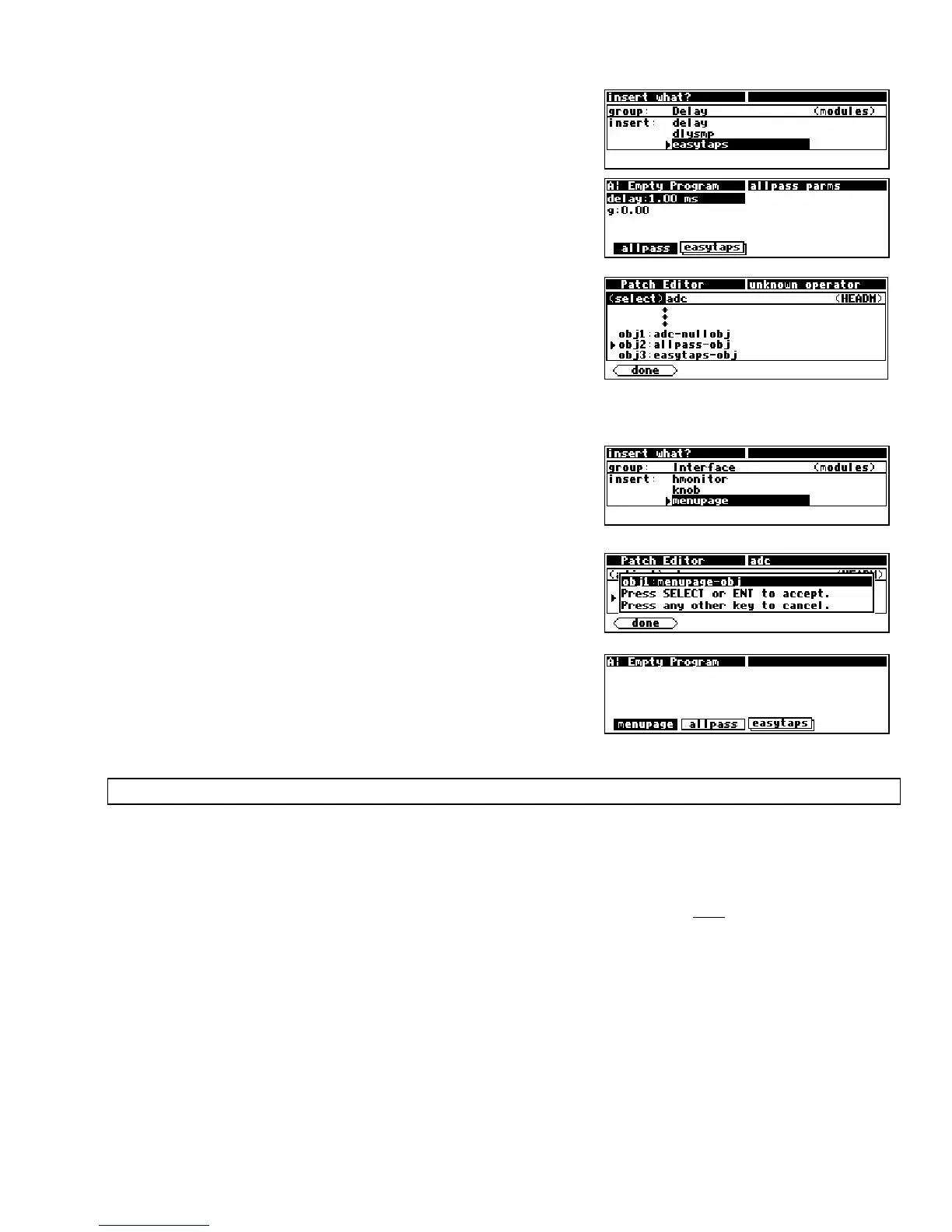
• Go back to the basic Patch Editor area by pressing the
<done> SOFT KEY. Now <insert> an easytaps module.
• Return to the PARAMETER area and observe that there is
now a second SOFT KEY. This SOFT KEY is stacked because
the easytaps’ parameters take up more than one menu page.
• Go back to the Patch Editor and use the <modify> SOFT
KEY
on the head module. Note there are now three
userobjects connected to the head module and that the
new userobject was connected after the existing two
userobjects.
Adding a menupage module
This section demonstrates how an empty menu page shows up
in the PARAMETER area with a SOFT KEY.
• <insert> a menupage module (from the “Interface”
group).
• Use the <modify> SOFT KEY on the head module and
change the obj1 specifier to menupage-obj.
• Return to the PARAMETER area and observe that the
menupage module has created a new menu page and that
the allpass and easytaps’ SOFT KEYS were bumped
over when the null userobject was replaced.
S
TACKED MENU PAGES
This section goes through a tutorial to show:
• That modules’ parameters are presented on a menu page when their userobject outputs are connected
to a menupage module (which is in turn connected to the head module).
•
That multiple connections of the same module’s userobject output creates multiple “images” of the
module’s parameter(s). Note: The second image of a module’s parameter(s) on the same menu page may not be
active.
• That menupage modules’ userobject outputs may be connected to other menupage modules to
create SOFT KEY stacks.
Inserting Multiple menupages
• Load Empty Program from the “Programming” bank.
• Go to the Patch Editor area by pressing and holding the
PARAMETER key.
• Select
misc display mode by pressing the <aud only> key three times.
•
<insert> a menupage module from the interface group.



 To Next Page