The Harmonizer
®
Programmer’s Manual
© 1999-2008 Eventide, Inc. Page 97 of 97 Release 1.3
If the userobject outputs are connected in a different order, the
menu page items might not only look bad but might not all fit
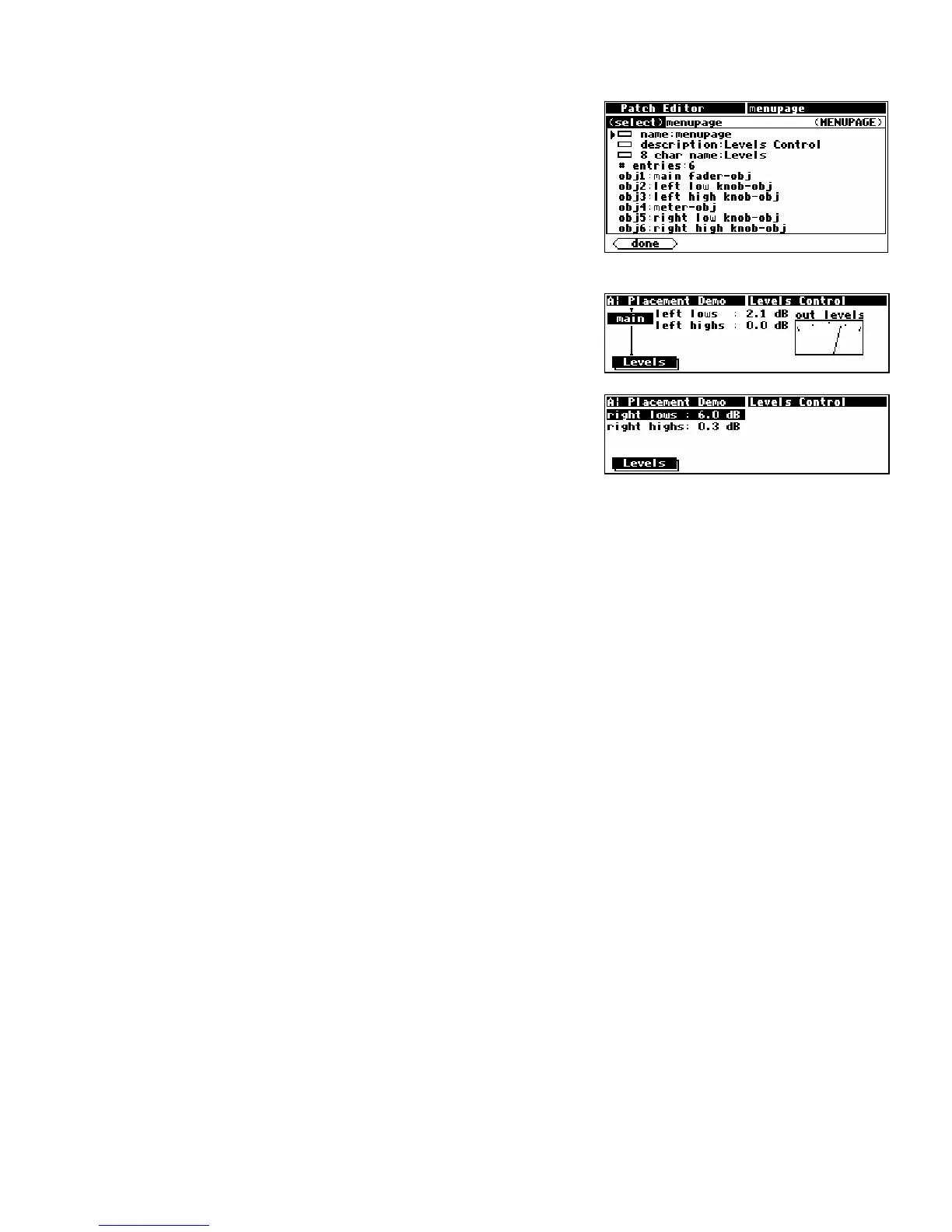
on the same menu page. For instance, connecting the
userobject outputs in this order:
1. main fader
2. left low knob
3. left high knob
4. meter
5. right low knob
6. right high knob
results in two menu pages (accessible via a stacked SOFT KEY)!
Since parameters are always placed from upper left to lower
right, top to bottom, once the meter monitor is placed, (not
fitting below the left highs parameter) there is no more room
below the meter or to the right of the meter on the first menu
page. Therefore, a new menu page is created for the latter two
knob parameters.



 To Previous Page