USING MAINTENANCE MODE
Everest operators are required to use Tera Term to connect to their machines directly. Tera Term
is an open-source, free, software implemented, terminal emulator (communications) program.
This will allow you to connect the machine’s PC board to access operational settings and
perform machine diagnostics.
Connecting to Maintenance Mode:
● Ensure that your computer is connected to the internet.
● Download “Tera Term” from CNET to a laptop with a working USB port by visiting
(http://download.cnet.com/Tera-Term/3000-20432_4-75766675.html) or by searching for
Teraterm using a search engine and searching for “TeraTerm Download”. Click on the
search result from CNET.com. Tera Term will only work with Microsoft Operating
Platforms. Tera Term is NOT compatible with Apple IOS operating platforms.
● Locate the USB-to-Serial adapter and Serial cable provided with your machine.
Machines purchased after 2017 do not use the serial cable only USB to Serial.
● Plug the USB-to-Serial adapter into your computer USB port. This should bring an
installation process for the USB-to-Serial adapter driver. If asked, download the driver
software to your computer. This download is necessary for Tera Term to recognize the
adapter. If the adapter is not recognized and a driver installation does not begin
automatically, either: unplug the adapter, restart your computer, then attempt to plug the
adapter in again for automatic driver download or unplug the adapter, restart your
computer, plug in the adapter again, and then use the CD provided with the adapter to
manually install the adapter driver.
● Once Tera Term and the adapter driver is downloaded and installed, your computer is
prepared to enter Maintenance Mode.
Accessing and Connecting To Your Machine’s PC Board:
WARNING: BE AWARE THAT THERE ARE HIGH VOLTAGE ELECTRICAL CURRENTS IN
MOUNTED HARDWARE IN THIS SECTION OF THE MACHINE. BE AWARE OF ALL
ELECTRICAL HAZARDS AND DO NOT TOUCH ANYTHING UNNECESSARY FOR RISK OF
PERSONAL INJURY OR DAMAGE TO THE MACHINE.
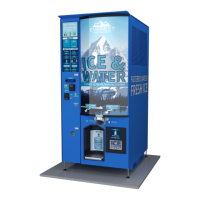
● Open the left door to the front of your machine.
● Unlatch the left louver panel
● Using a step ladder, remove the left louver panel.
● Access and remove the two (2) electrical cover screws at top to remove and access
electrical panel and PC Board.


 To Next Page