ECOR960 4F2 / 8F2 / 16F2
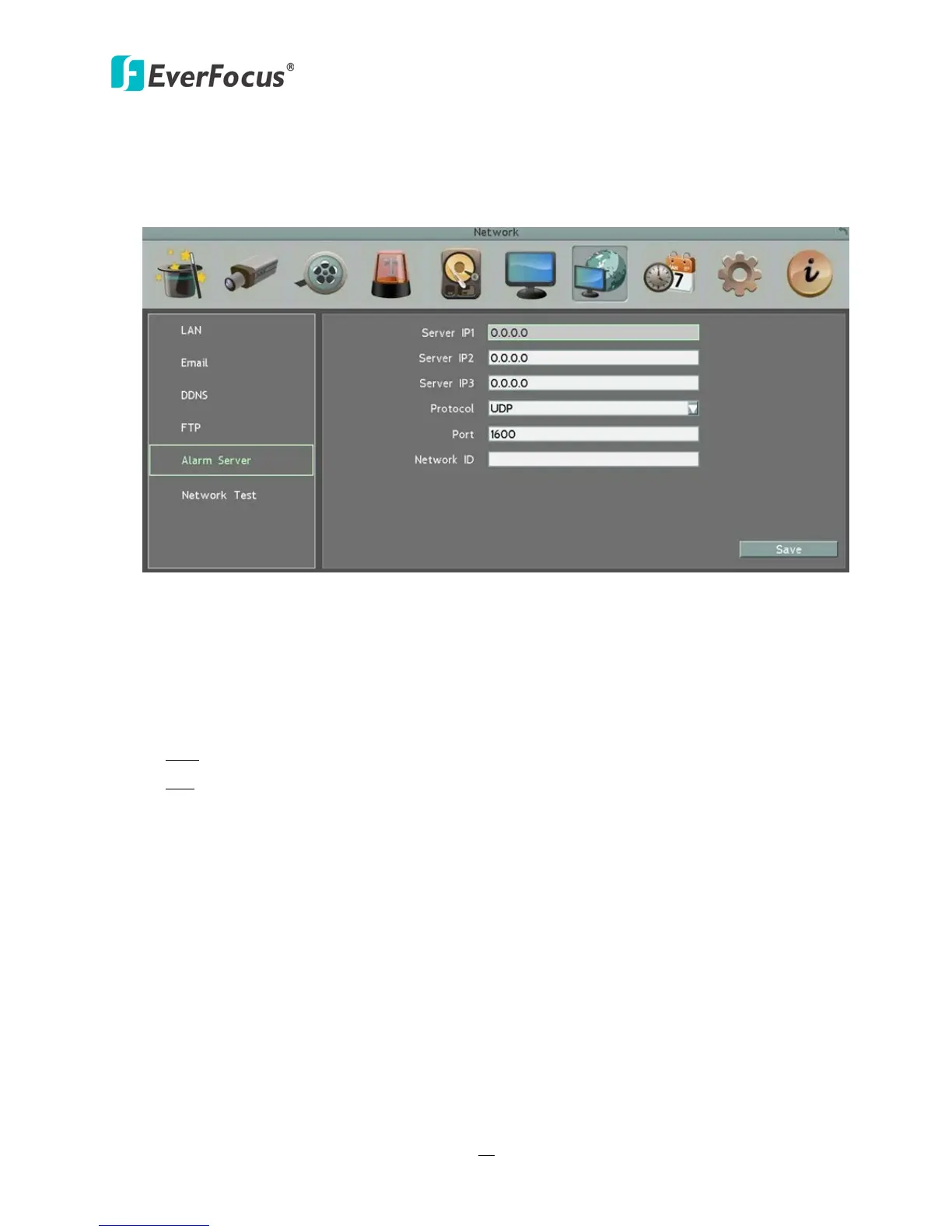
6.7.5 Alarm Server
You can send out the alarm notifications to EverFocus’s CMS software. Please also consult the
CMS’s user manual for network alarm settings.
Figure 6-28
Server IP1~3: IP address of client PC. The network alarm can be transmitted to up to 3
addresses.
Protocol: Select the protocol type for alarm transmission. Note the protocol selected here
should match the protocol set up for the CMS alarm server.
UDP: User Datagram Protocol.
TCP: Transmission Control Protocol.
Port: Select the transmission port for network alarm messages. The port setup here should
match the port set up for the CMS alarm server.
Network ID: The network ID is an identifier for the alarm transmitter (DVR sending the
alarm).














 To Next Page