ECOR960 4F2 / 8F2 / 16F2
6.10.2 Log
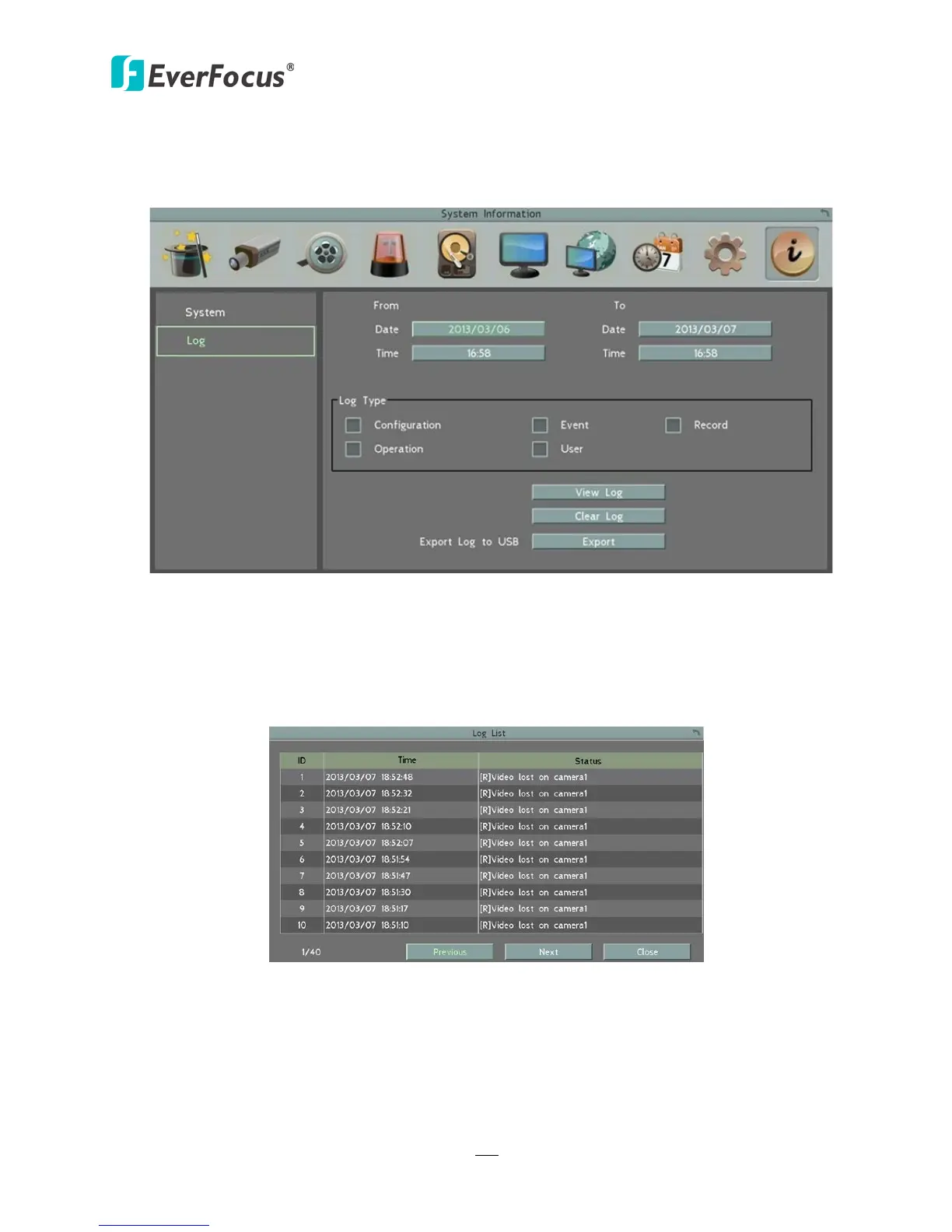
You can choose, display or export log data using this menu.
Figure 6-49
Start Date / End Date: Click to bring up the on-screen keyboard to set up the start / end date.
Start Time / End Time: Click to bring up the on-screen clock to set up the start / end time.
Log Type: Select the desired log types.
View Log: Click to bring up the Log List shown as below.
Figure 6-50
Clear Log: Click to delete all the selected log data.
Export Log to USB: Click the Export button to export the log data to the USB storage device.














 To Next Page