ECOR960 4F2 / 8F2 / 16F2
5.3.2 Event Search
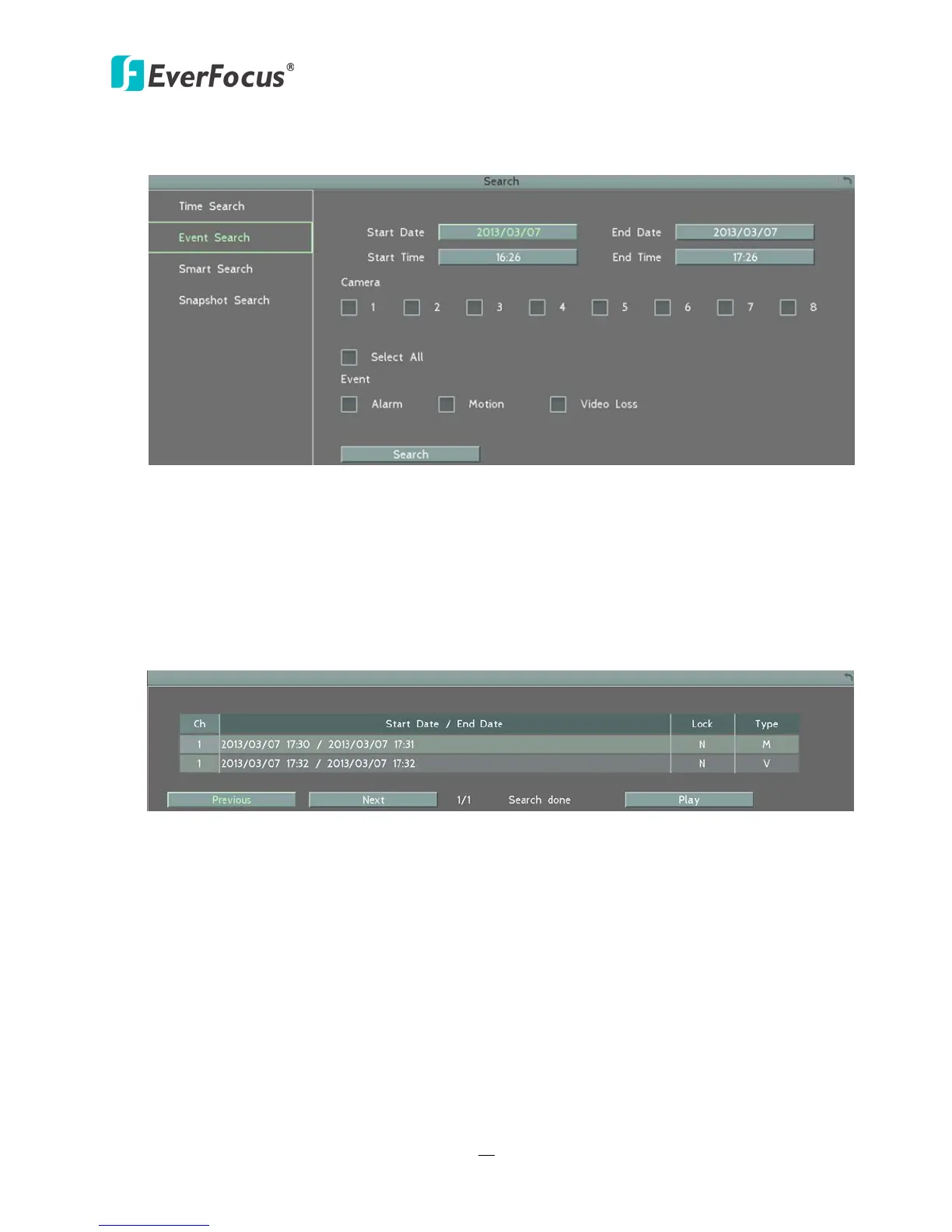
Figure 5-5
Start Date / End Date: Click to bring up the on-screen keyboard to select the start / end date.
Start Time / End Time: Click to bring up the on-screen clock to select the start / end time.
Camera: Select the desired cameras to be searched.
Event: Select an event type to be searched.
Search: Click to start searching. The search results will be listed in the Event List menu as
shown below.
Figure 5-6
Previous / Next: Click to go to the previous / next page.
Play: Click to playback the selected items.














 To Next Page