ECOR960 4F2 / 8F2 / 16F2
6.9 System Setting
You can configure the general settings for the DVR in this menu.
6.9.1 Date / Time
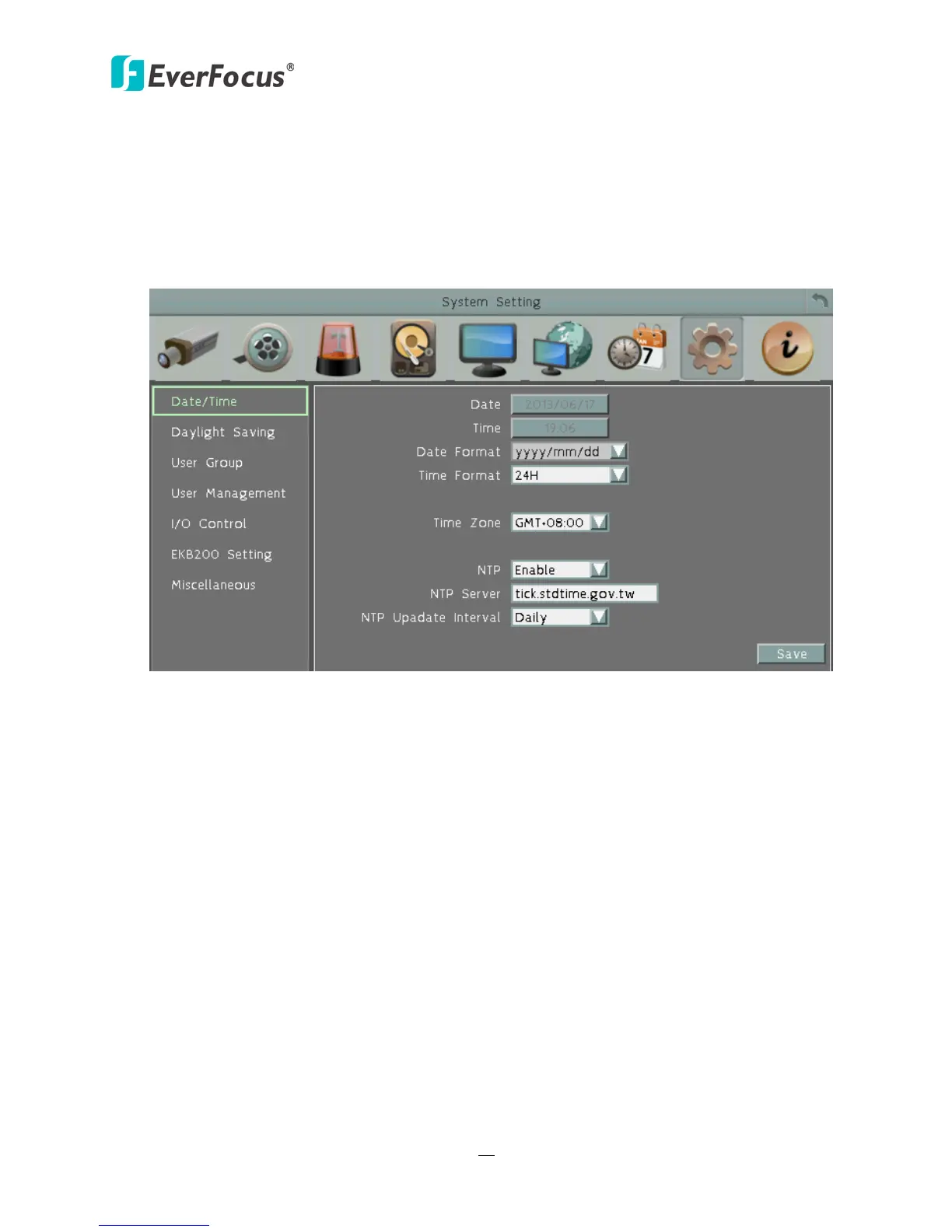
You can set up the date and time for the DVR.
Figure 6-36
Date: Click to bring up the on-screen keyboard to set up the date.
Time: Click to bring up the on-screen clock to set up the time.
Date Format: Select a date format from the drop-down list.
Time Format: Select a time format from the drop-down list.
Time Zone: Select a time zone for the DVR to adjust to when updating from the time server.
NTP: Select Disable / Enable for NTP time synchronization.
NTP Server: Displays the time server address that the DVR uses for time synchronization.
Requires operating network configuration and WAN or LAN access to a compatible NTP server.
To find a compatible NTP address, follow the steps below:
a. Use a computer connected to the Network.
b. Click Start > Run > type “command” and then click OK.
c. In the DOS Prompt, type “ping pool.ntp.org” to find out the IP address of an NTP
Server.
NTP Update Interval: The frequency that the system automatically updates the time via the
NTP server. Select Daily, Weekly or Monthly.














 To Next Page