ECOR960 4F2 / 8F2 / 16F2
6.10 Information
You can see the DVR information and Log data in this menu. Or export the log data to the USB
storage device.
6.10.1 System
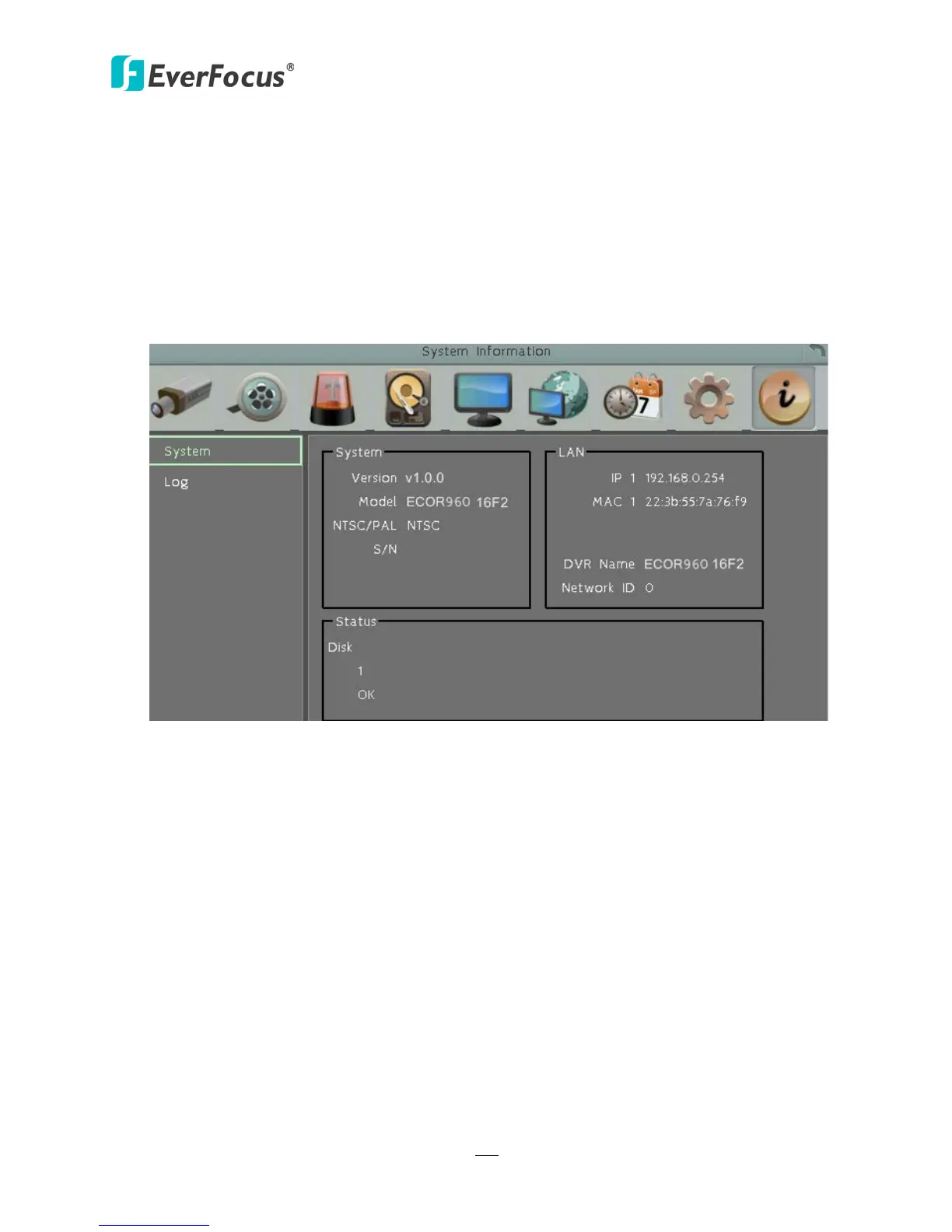
In the System Menu, you can only see the information of the DVR, Network or HDD. No
configuration can be done in this menu.
Figure 6-48
【System】
Version: Displays the firmware version.
Model: Displays the model name of the DVR.
NTSC / PAL: Displays the current video format automatically detected by the DVR.
S/N: Display the serial number of the DVR.
【Lan】
IP 1: Displays the IP address of LAN 1 set up in the Network or Express menu.
MAC 1: Displays the MAC address of LAN 1. This option cannot be changed.
DVR Name: Displays the DDNS name if configured.
Network ID: The ID number for EverFocus’ CMS as set up in the Alarm Server menu.
【Status】
Disk: Displays the status of the internal hard disks. Normal hard disk operation is indicated by
“OK”.
Fans: Displays the status of the internal fan. Normal fan operation is indicated by “OK”.














 To Next Page