ECOR960 4F2 / 8F2 / 16F2
7.3 Browser Security Setting
7.3.1 Installing ActiveX Controls
Follow the steps below to install the ActiveX Controls when you first connect to the DVR’s IP
address. If you do not see the images below, your security settings may be too high. If so, go
to “Section 7.3.2 Enabling ActiveX Controls.”
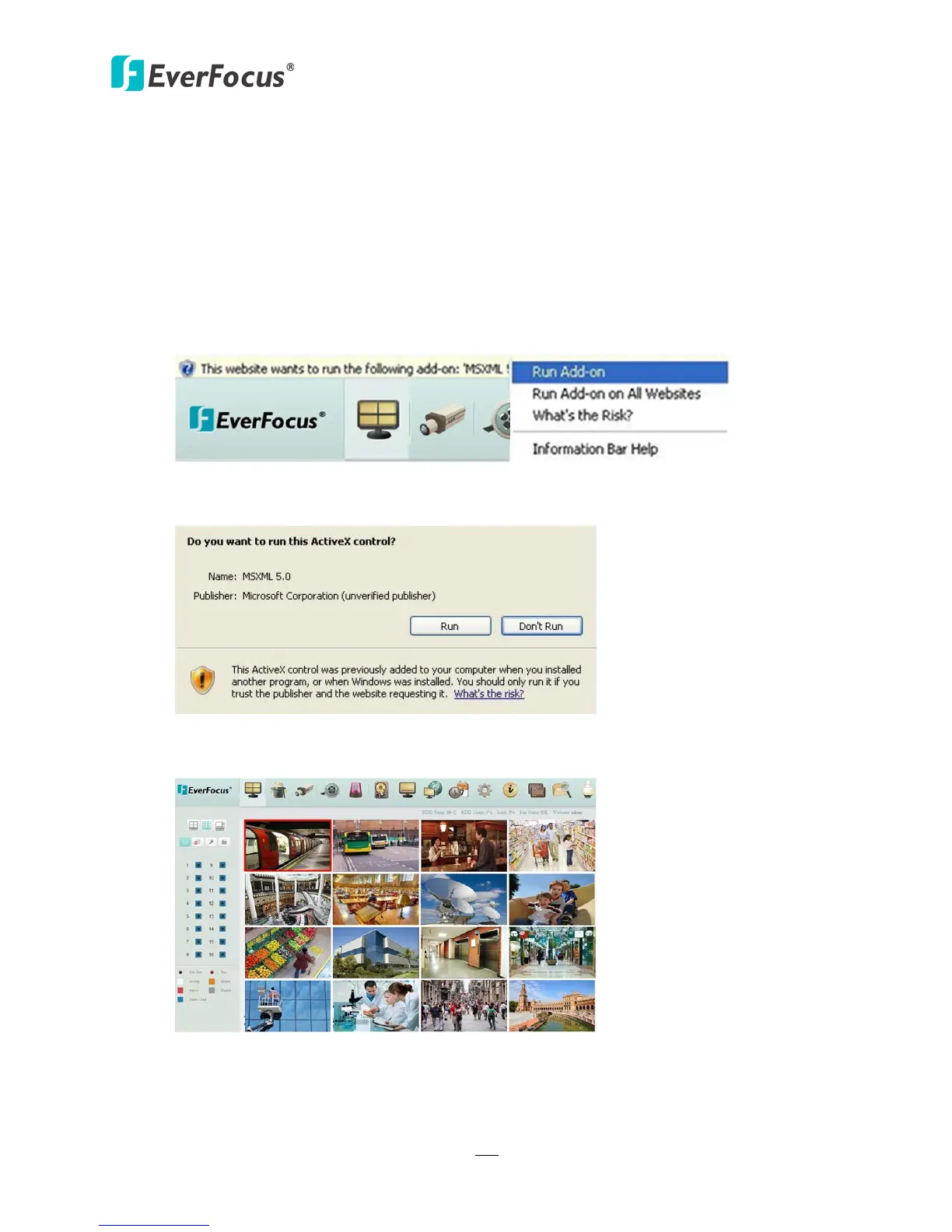
1. You may also prompt to install the MSXML file. Please right-click the yellow bar and select
“Run Add-on…”
Figure 7-8
2. Install the MSXML file when prompted to do so.
Figure 7-9
3. Now you will be able to see the remote live page.
Figure 7-10
4. Please refer to 2.4 Checking the Dynamic IP Address to adjust the settings of the User
Account Control if you still can’t see the remote live view.














 To Next Page