ECOR960 4F2 / 8F2 / 16F2
2.5 Connecting the DVR to the Network
There are three methods to connect the DVR to the network: Router or LAN Connection, Direct
High‐Speed Connection and One‐to‐One Connection. For more information of the network,
please refer to Appendix A. Network Overview.
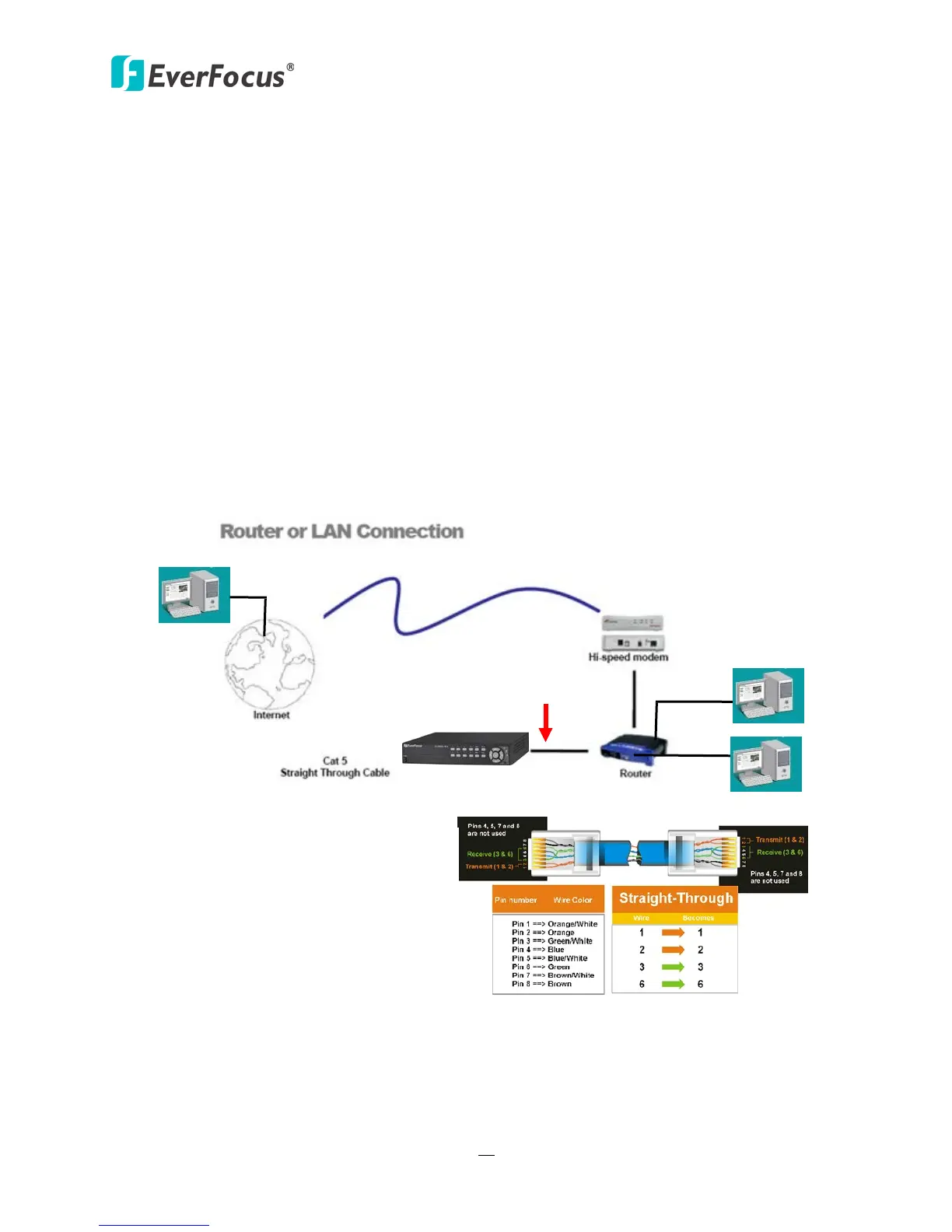
2.5.1 Router or LAN Connection
This is the most common connection in which the DVR is connected to a router and allows
multiple users on and off site to see the DVR on a LAN/WAN (Internet). The DVR must be
assigned an IP address that is compatible with its LAN. By setting up port forwarding on the
router, you can remotely access the cameras from outside of the LAN via the Internet. To
remotely access the Web interface, please refer to 7. Remote Access to the DVR. To set up
port forwarding, please consult the manual of the router or refer to Appendix B: Linksys &
D-Link Port Forwarding.
Figure 2-21
Straight-through LAN patch cable
Right: Pinout of a straight-through cable.














 To Next Page