ECOR960 4F2 / 8F2 / 16F2
6.1 Express
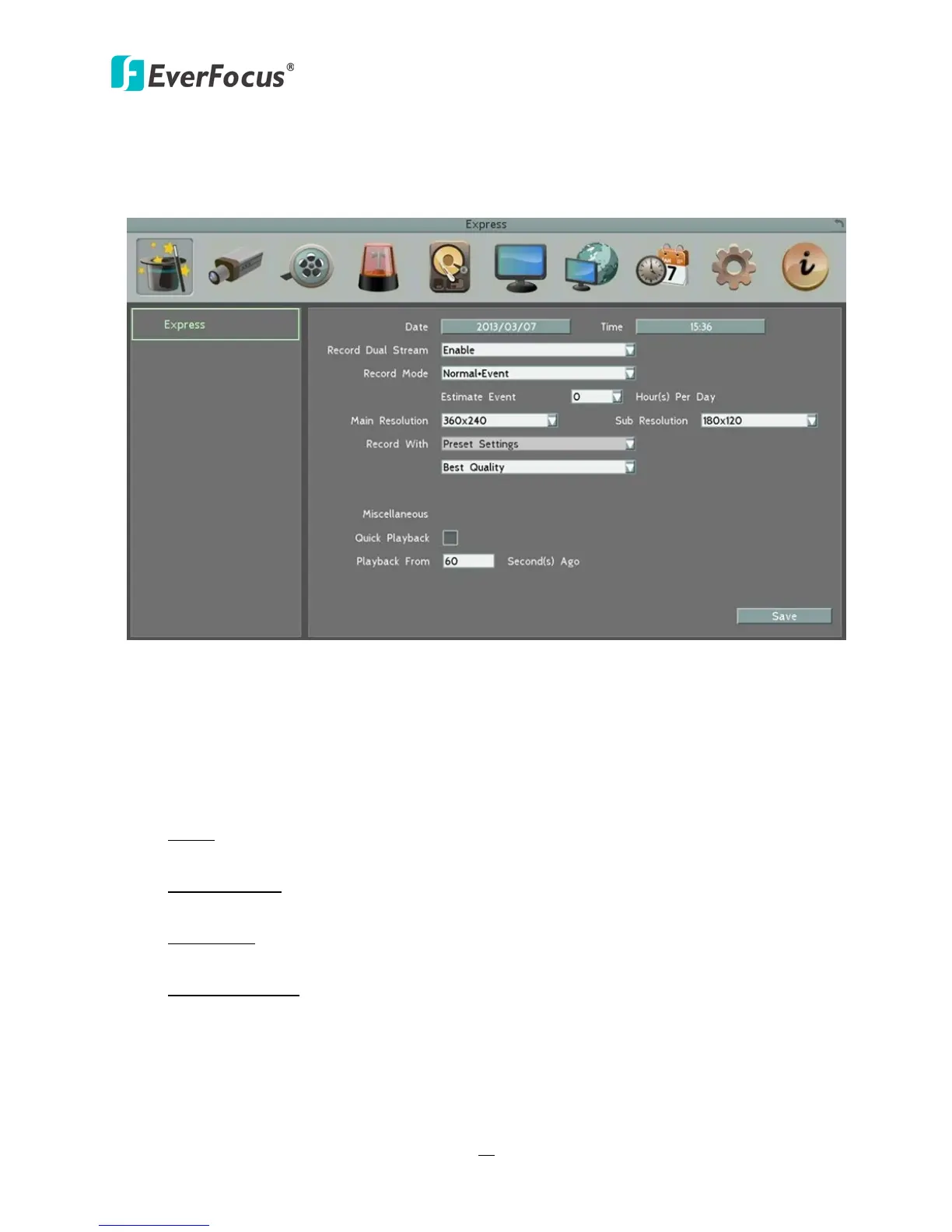
This menu is used to configure global express settings for all cameras.
Figure 6-2
Date: Click to bring up the on-screen keyboard to set up the system date.
Time: Click to bring up the on-screen clock to set up the system clock.
Record Dual Stream: Click to enable / disable the dual streams recording function.
Record Mode: Select a recording mode from the drop-down list.
Blank: Select this option for all cameras to keep the current individual record settings
without any changes. Please refer to 6.8.1 Express Setup for more details.
Normal+Event: Set all cameras to the Continuous and Event recording mode. Set up the
estimated number of hours per day for event recording.
Event Only: Set all cameras to the Event only recording mode. Set up the estimated
number of hours per day for event recording.
Schedule Record: Set all cameras to the Schedule recording mode.














 To Next Page