ECOR960 4F2 / 8F2 / 16F2
4.7 Archiving the Recordings or Log Data to the USB
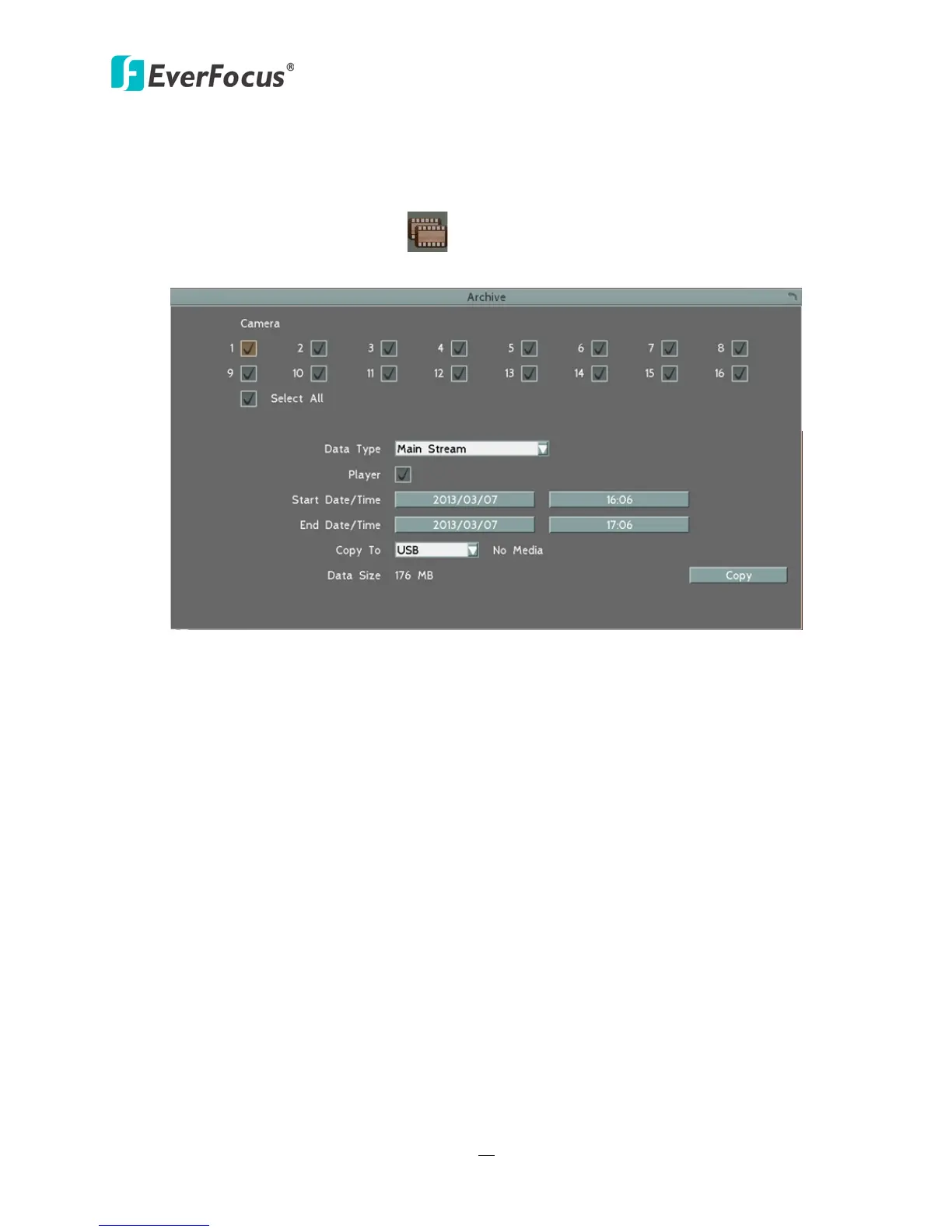
You can archive the recordings or log data (event and motion) to the USB storage device. On the
OSD Root Menu, click the Copy icon , the following menu appears.
Figure 4-8
Camera: Select the desired cameras.
Data Type: You can copy the recordings of selected cameras from main stream or sub stream.
Player: Check the box to include the EFPlayer program in the copy. You can use the EFPlayer on
a computer to play back the recordings.
Start Date / Time: Click to bring up the on-screen keyboard / clock to select the start date /
time.
End Date / Time: Click to bring up the on-screen keyboard / clock to select the end date / time.
Copy To: Select whether you want to copy to USB. The log data can only be archived to the USB
storage device.
Copy: Click to start archiving.














 To Next Page