ECOR960 4F2 / 8F2 / 16F2
6.7.4 FTP
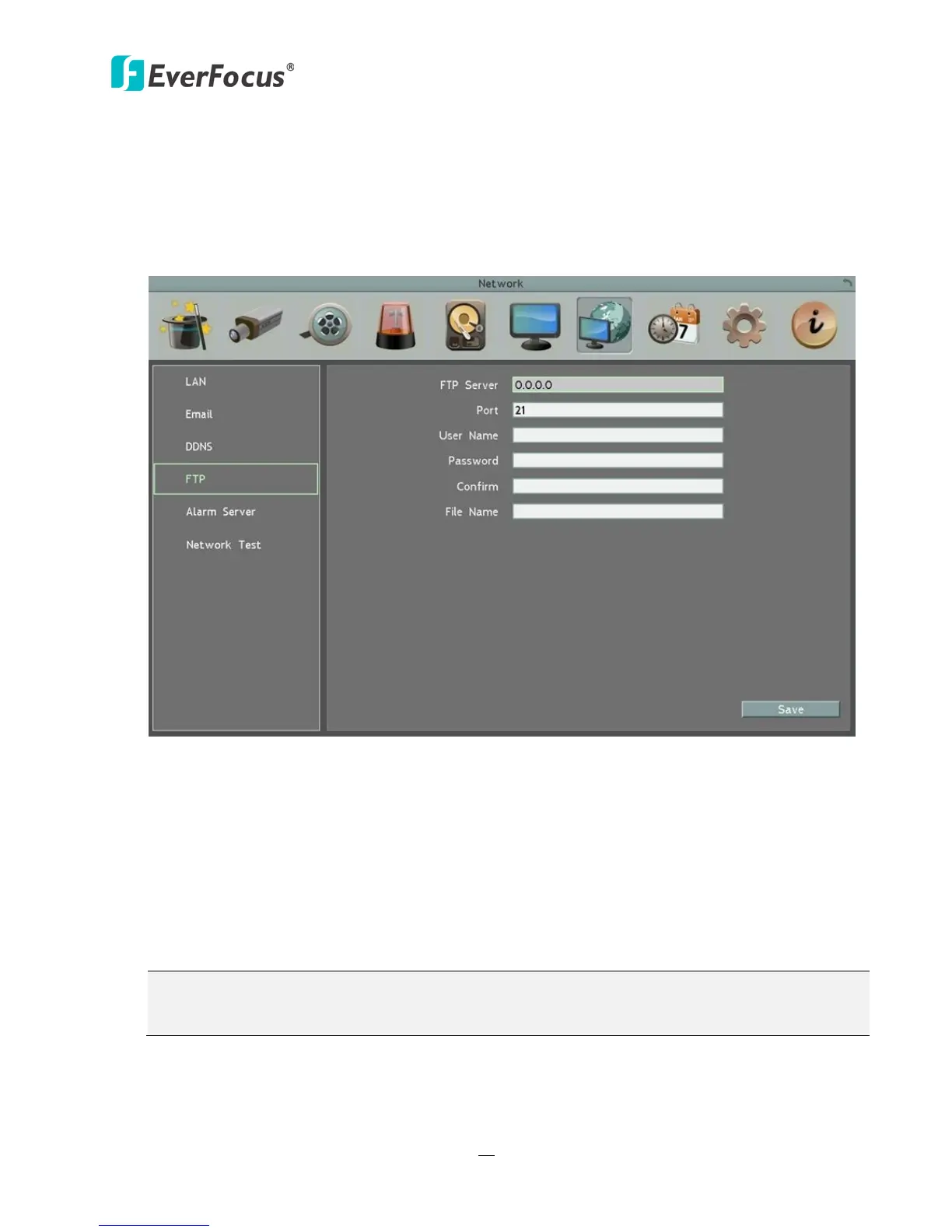
Set up the FTP server settings to enable the FTP function. The function is for users to upload
the alarm / motion recordings or snapshots from sub stream to the FTP server. You can
choose to upload either the recordings or snapshots, please see 6.4.1 Alarm and 6.4.3
Motion.
Figure 6-27
FTP Server: Enter the IP address or the host name of the FTP server.
Port: Enter the port number for the FTP server. Default is 21.
User Name: Set FTP User’s name.
Password: Set FTP password.
Confirm: Input the FTP password again to confirm.
File Name: Enter the file name.
Note: If you want to upload recordings to the FTP, please go to the Remote / Mobile setting
page to select H.264 codec.














 To Next Page