ECOR960 4F2 / 8F2 / 16F2
9. You might be required to download ActiveX and JAVA software for viewing the camera feed. If
asked, click Yes. For more details, please refer to 7.3.1 Installing ActiveX Controls.
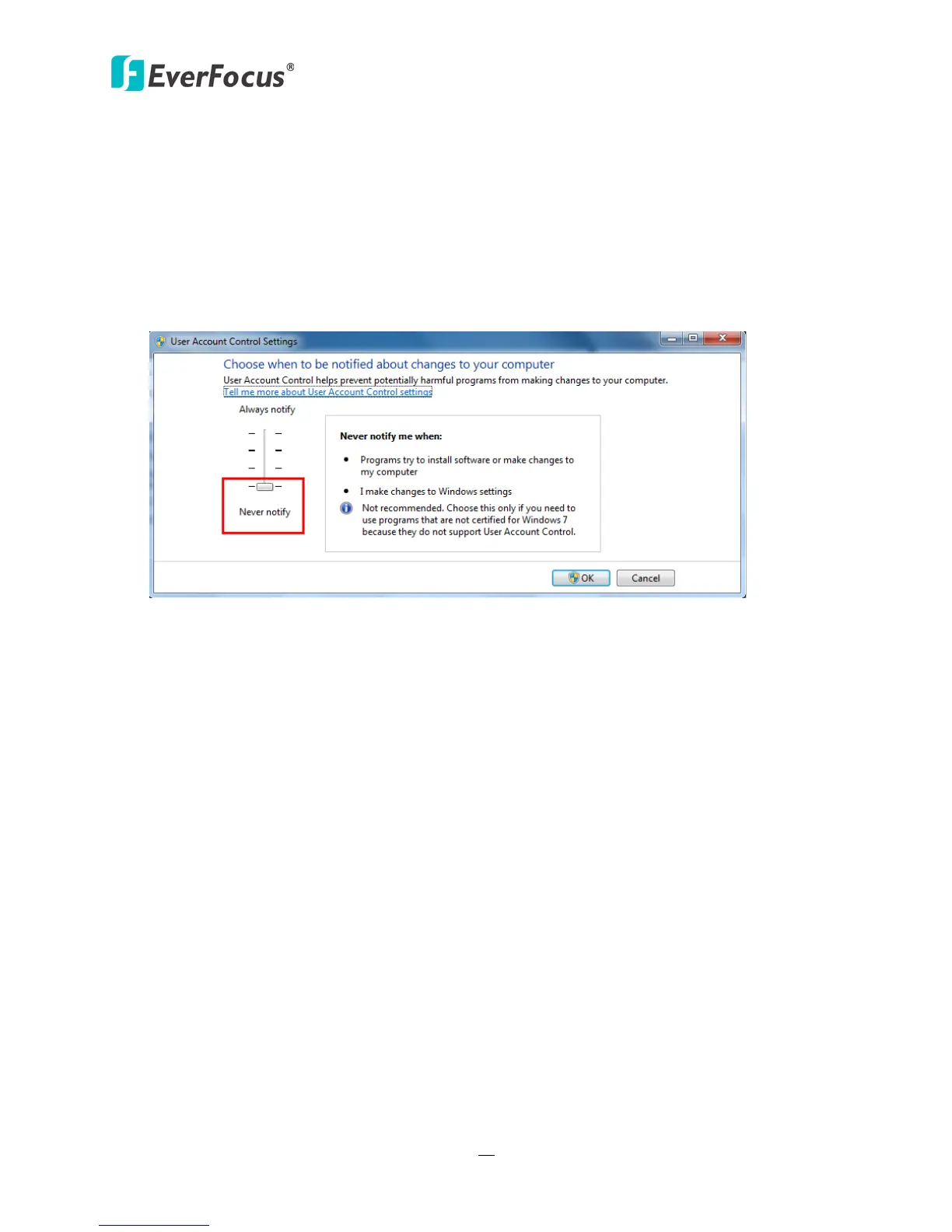
10. You may need to turn User Account Control off if you still can’t see the Remote Live View.
11. On the computer, click Start > Control Panel > System and Security > Action Center (click
Change User Account Control Settings), the User Account Control Settings window appears.
Adjust the slide bar to Never Notify and then click OK. Restart your computer if requested.
Figure 2-20














 To Next Page