ECOR960 4F2 / 8F2 / 16F2
You can further configure each user account and its settings individually, see the steps below:
1. Click on a user account (Figure 6-39).
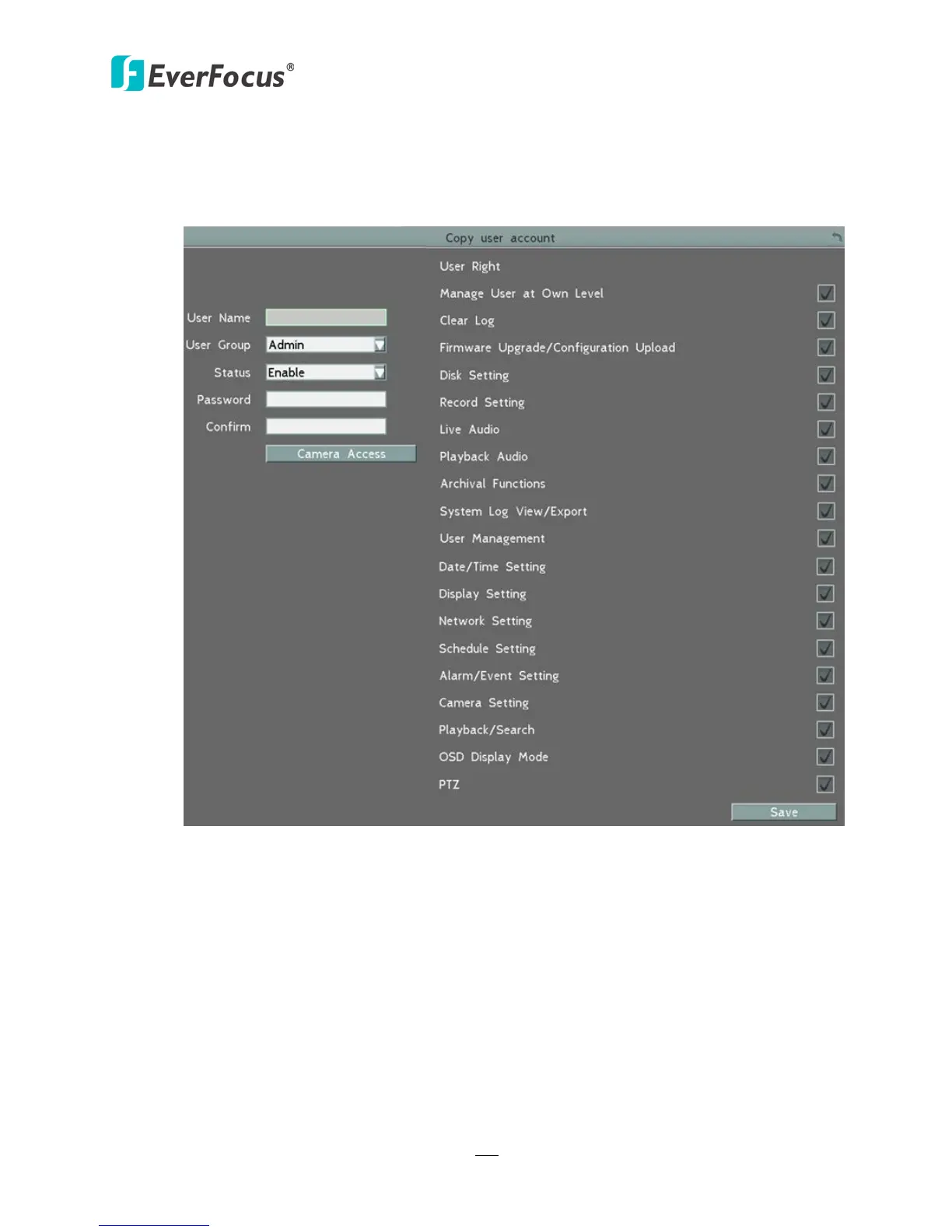
2. Click the Add, Copy or Edit button, and the following page appears.
Figure 6-40
User Name: Click to bring up the keyboard and input the desired user name.
User Group: Select a user group (access level).
Status: Select to enable or disable the user account.
Password: Input the password.
Confirm: Enter the same password again to confirm.
Camera Access: Click to bring up a new setting page (figure 6-41), and check the boxes
to enable the live, playback or PTZ functions of the cameras for local or remote access.
User Right: Check the boxes to enable the functions for the user account.














 To Next Page