ECOR960 4F2 / 8F2 / 16F2
4. Click OK and then choose Yes to change the security settings.
5. Close the window so you are back at the login screen.
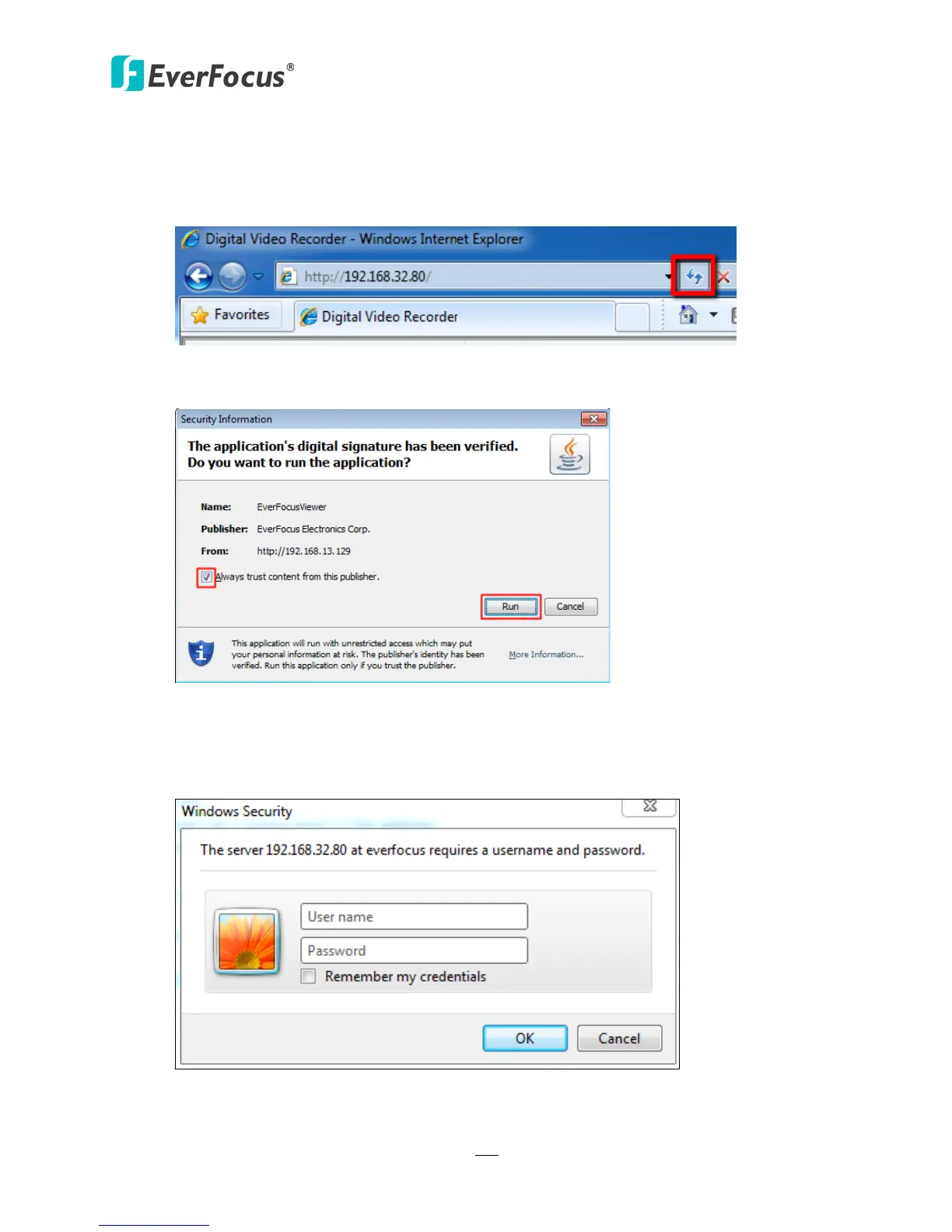
6. Click the Refresh button to reload the page.
Figure 7-14
7. You may need to run the EverFocusViewer application when prompted to do so.
Figure 7-15
8. The login page will show up. Type in the user name and password and click Login to view
the cameras. The default User Name is admin, while the password is 11111111.
Figure 7-16














 To Next Page