113
Enabling ActiveX Controls
Note: This section is only necessary if you DO NOT see the
yellow ActiveX bar at the top of your browser screen.
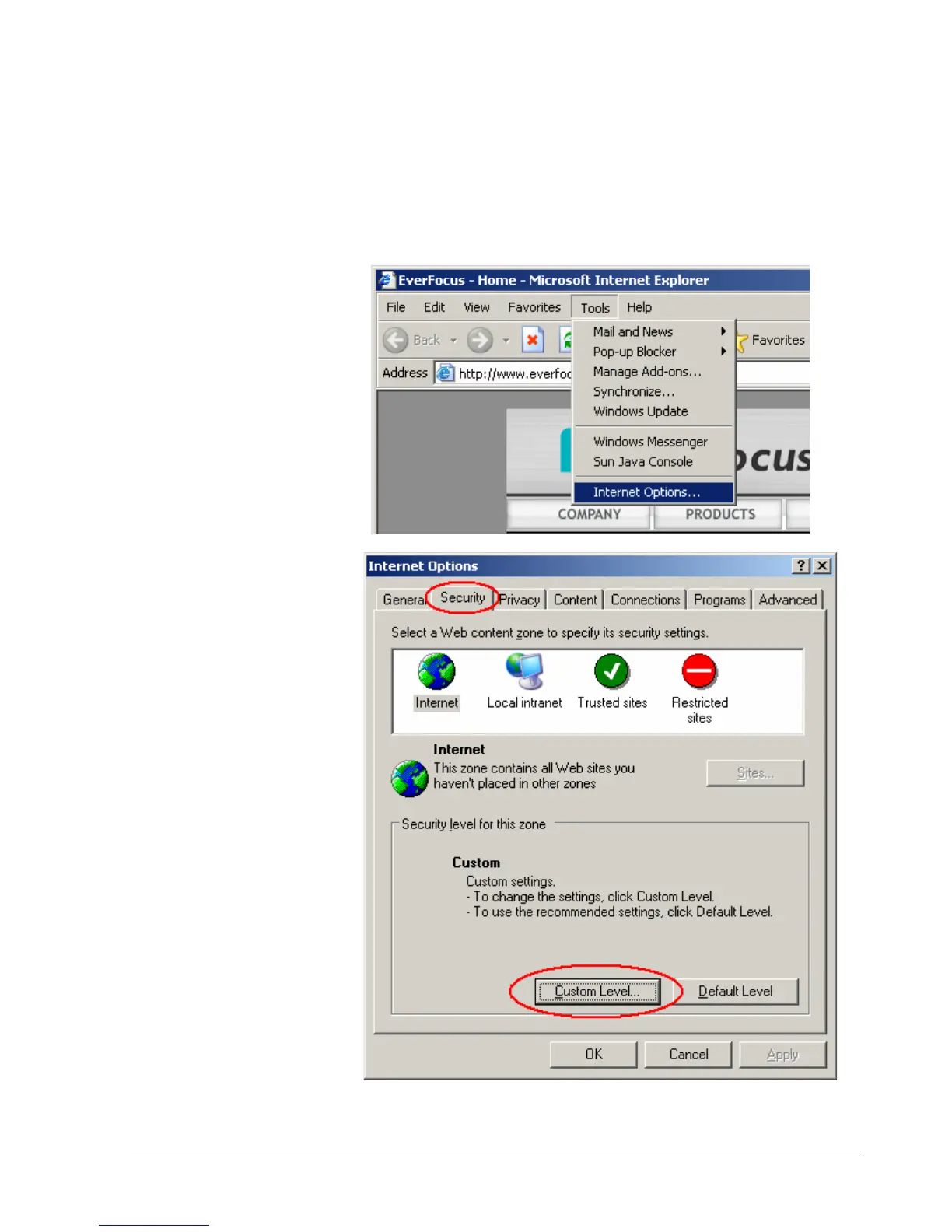
At the top of the Internet
Explorer Window, click on
Tools, then select Internet
Options.
Click the Security tab at the
top of the window, then
choose Custom Level near
the bottom.














 To Next Page