114
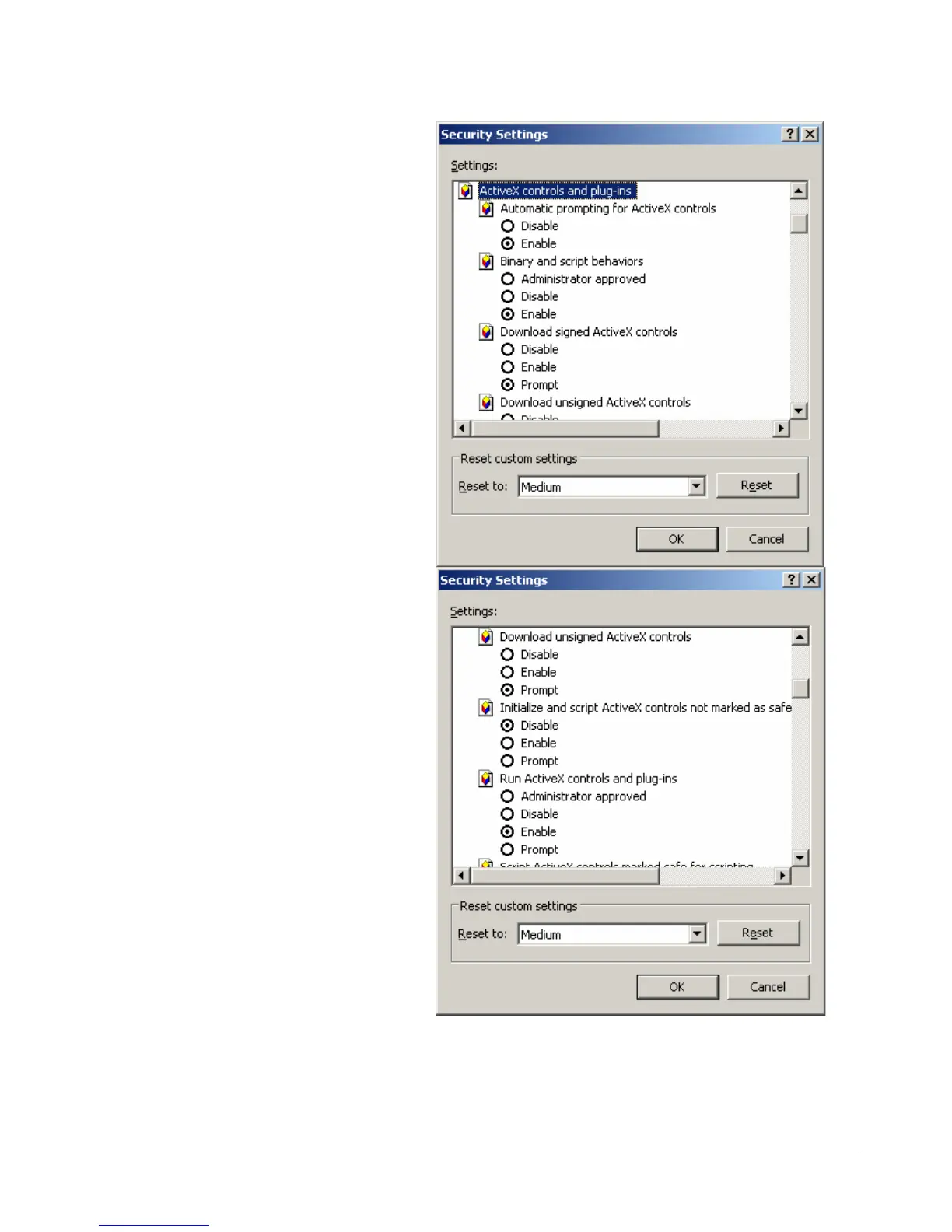
In the Security Settings window, scroll
to “ActiveX controls and plug-ins”
Set the controls as follows:
“Enable”:
Allow previously unused ActiveX
controls to run without prompt
(Internet Explorer 7 only)
Allow scriptlets (IE7 only)
Automatic prompting for
ActiveX controls
Binary and script behaviors
Display video and animation on a
webpage that does not use
external media player (IE7 only)
Run ActiveX controls and plug-
ins
Script ActiveX controls marked
safe for scripting
“Prompt”:
Download signed ActiveX
controls
Download unsigned ActiveX
controls
“Disable”:
Initialize and script ActiveX
controls not marked as safe
Click OK and then choose Yes to
change the security settings.














 To Next Page