95
9595
95
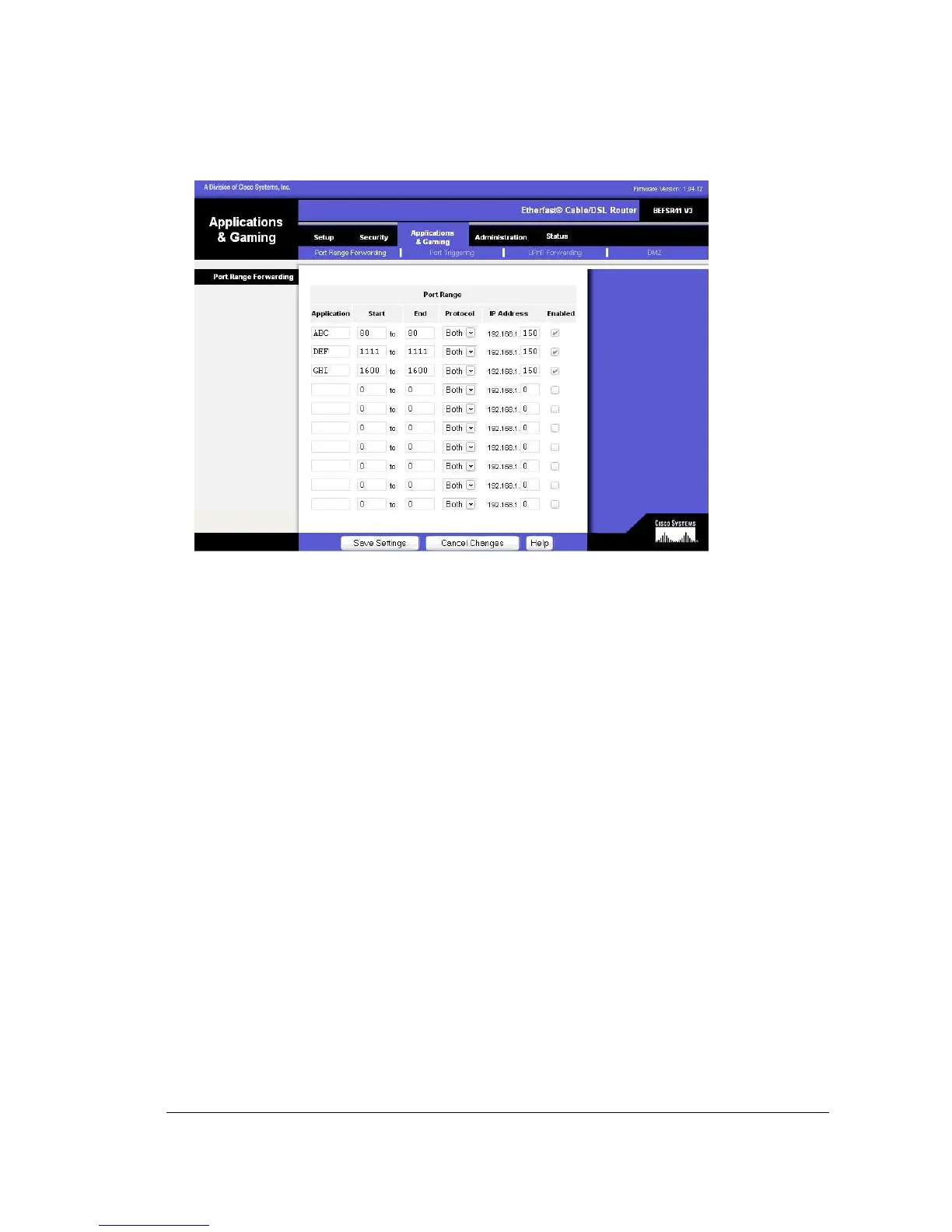
Application - In this field, enter the name you wish to give the application. Each
name can be up to 12 characters.
Start/End - This is the port range. Enter the number that starts the port range under
Start and the number that ends the range under End.
Protocol - Enter the protocol used for this application, either TCP, UDP, or Both.
IP Address - For each application, enter the IP Address of the PC (in this case the
DVR) running the specific application.
Enable - Click the Enable checkbox to enable port forwarding for the relevant
application.
Change these settings as described here and click the Save Settings button to
apply your changes or Cancel Changes to cancel your changes.
Example:
DVR 80 to 80 Both 192.168.1.50 Enable
DVR 1600 to 1600 Both 192.168.1.50 Enable
DVR 37260 to 37263 Both 192.168.1.50 Enable














 To Next Page