34
3434
34
3
3
.
.
6
6
V
V
I
I
D
D
E
E
O
O
L
L
O
O
S
S
S
S
S
S
e
e
t
t
u
u
p
p
M
M
e
e
n
n
u
u
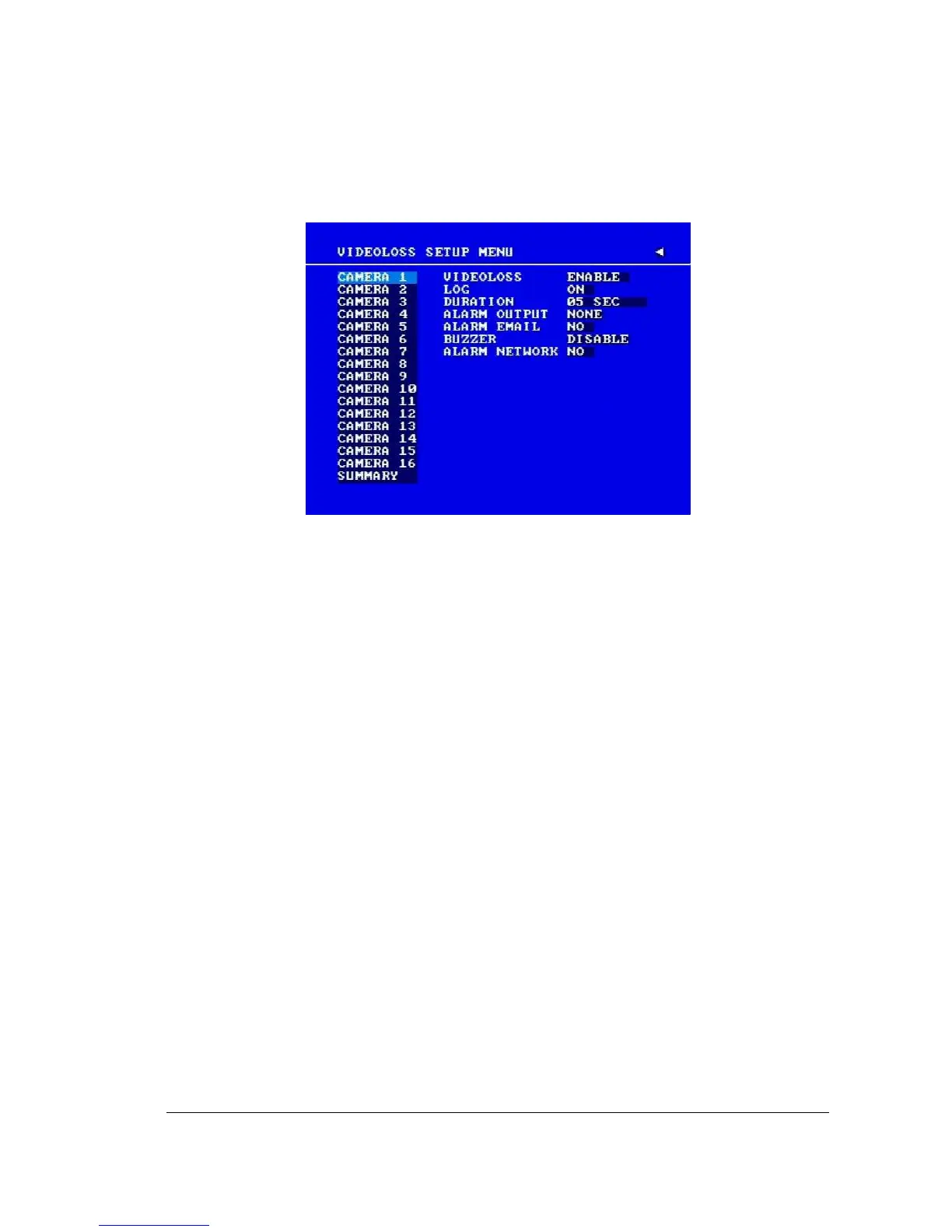
Diagram 3.9
Diagram 3.9 is a screen shot of the VIDEOLOSS (Video Loss) SETUP MENU.
VIDEOLOSS event is caused by no video signal input for the channel. Usually it
happens when no power supply for the camera or the camera fails. How to set up system
response for VIDEOLOSS case is introduced in this section.
In the VIDEOLOSS SETUP MENU the following fields are defined as follows:
1. VIDEOLOSS:
ENABLE: Enable video loss detection.
DISABLE: Disable video loss detection.
2. LOG:
YES: Select YES if you wish to record Video Loss Events in the Log.
NO: Select NO if you do not wish to record Video Loss Events in the Log.
3. DURATION:
Duration of VIDEOLOSS buzzer ranges from 1 sec to 99 seconds. The default value is
5 seconds. To change this, simply use the Jog Dial on the DVR.
4. ALARM OUTPUT:
This will transmit a signal to another device. The setting of alarms are NONE = not
activated, 1 = output signal 1 transmits, 2 = output signal 2 transmits, 3 = output














 To Next Page