7
77
7
1
1
.
.
4
4
B
B
a
a
c
c
k
k
P
P
a
a
n
n
e
e
l
l
C
C
o
o
n
n
n
n
e
e
c
c
t
t
i
i
o
o
n
n
s
s
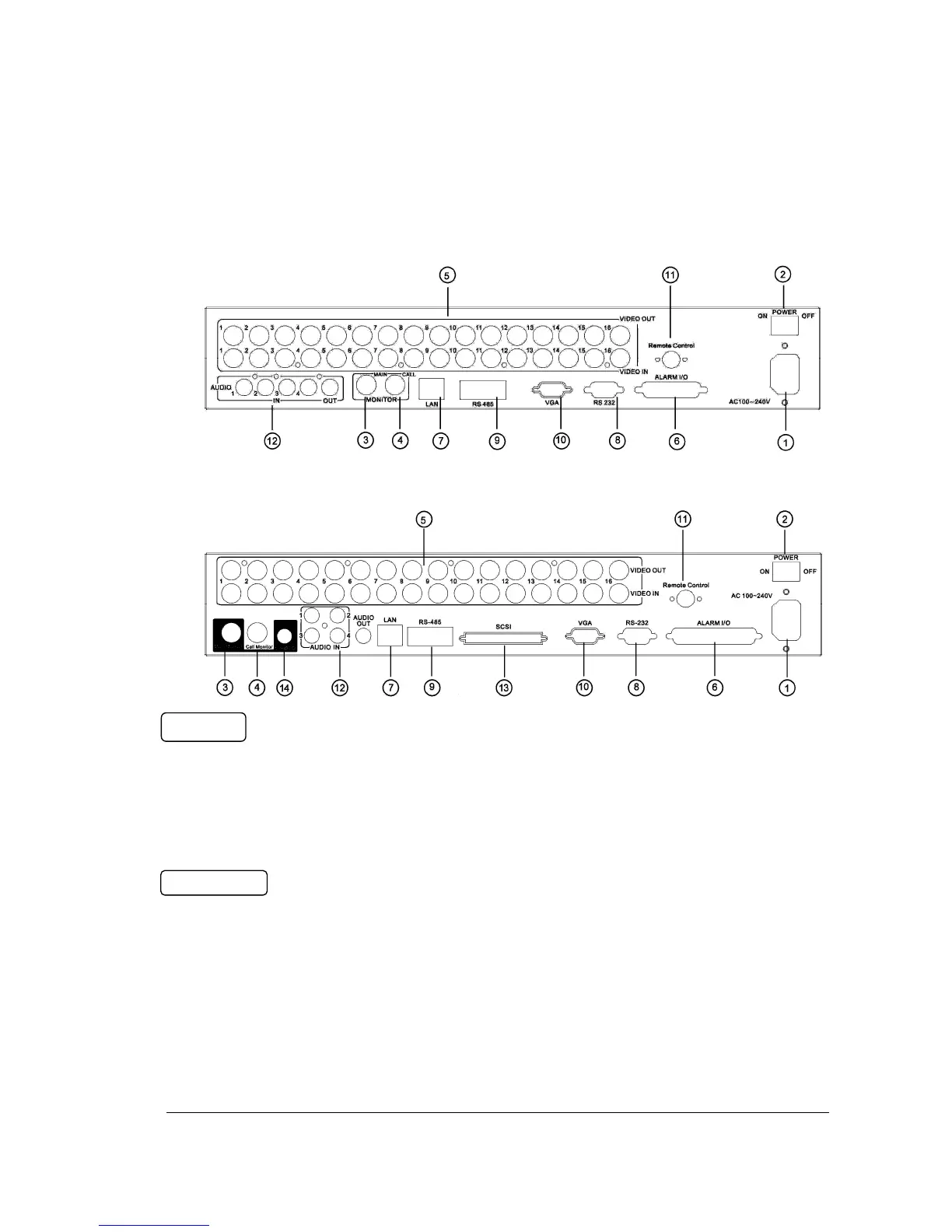
1
Main Power plug
Connect power jack (AC 100~240V).
2
Power Switch
Switch DVR on or off.
3
MAIN MONITOR
This connector is used for the main monitor display, a number of different display
modes may be selected for viewing.
4
CALL MONITOR
This connector is used for the call monitor. This monitor can only display a full
screen, but not able to enter Setup Menu.














 To Next Page