6
66
6
13
CALL
Press this key to enter and set up CALL MENU.
14
Menu
Press this key to enter MAIN SETUP MENU or to exit from any submenu.
15
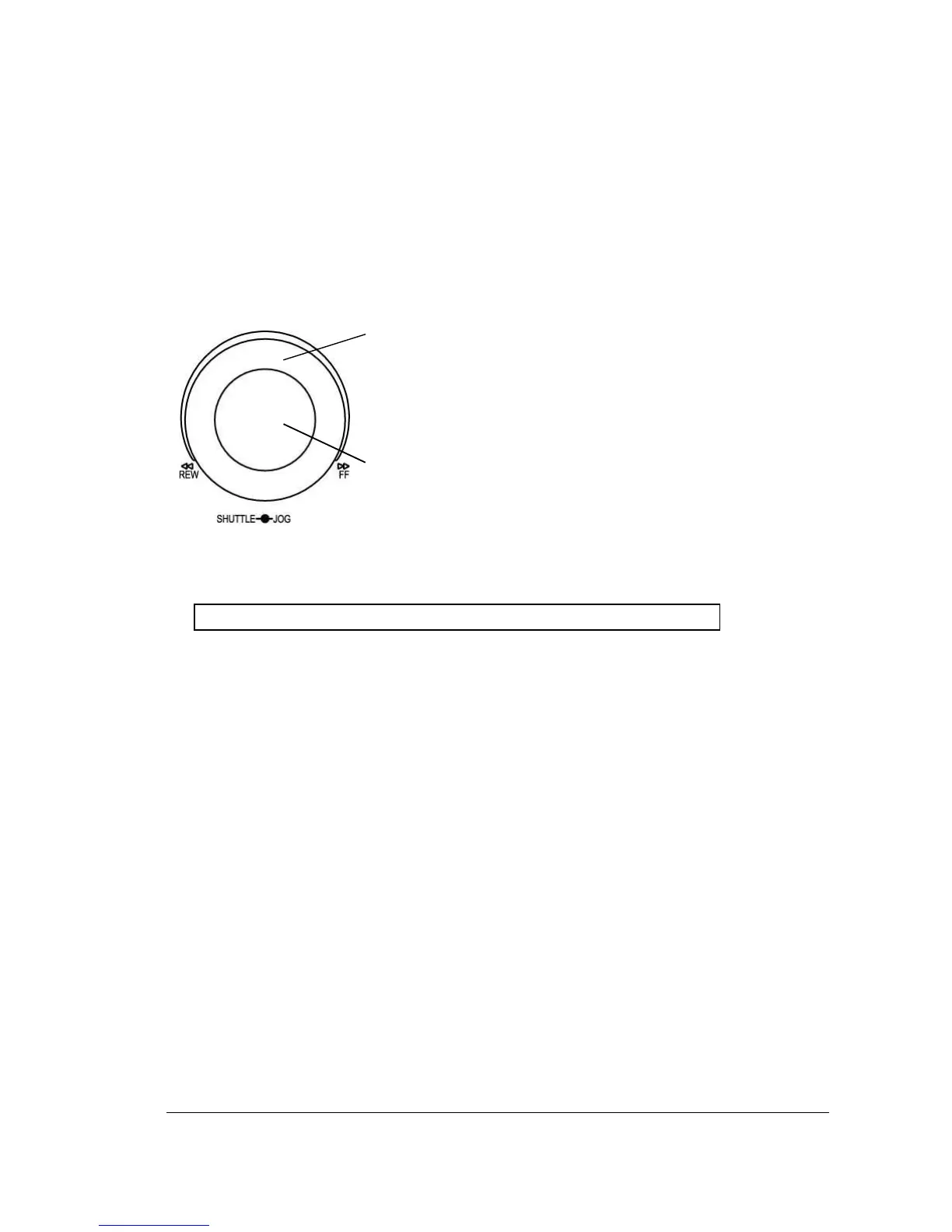
Shuttle and Jog Dial
Shuttle:
In the Playback mode, turn the Shuttle dial to fast
forward/rewind the video.
In the Pause mode, turn the Shuttle dial to slow
forward/rewind the video.
In the event list, turn the Shuttle to change pages.
Jog Dial:
In the Pause mode, turn the Jog dial to forward/rewind the
video frame by frame. In the Menu mode, turn the Jog dial to
change settings and values in subentries.
16
System LEDs
LEDs for system active HDD, ALARM and LAN display.
Note: External HDD LED will only be light on for EDVR16D3 model.
17
Channel Key (1~16)
Press channel key (CH1~CH16) to display that channel in full screen view.
18
Mouse
For connecting the mouse.
19
DVD+RW Burner
DVD+RW burner (only available for D series).
20
USB Slot
USB port allows you to archive files into your storages.
21
LCD Panel
To display Date and Time, and other system information.
22
IR receiver
Receiver for optional infrared remote control.














 To Next Page