111
111111
111
1
1
4
4
.
.
3
3
R
R
e
e
m
m
o
o
t
t
e
e
A
A
r
r
c
c
h
h
i
i
v
v
e
e
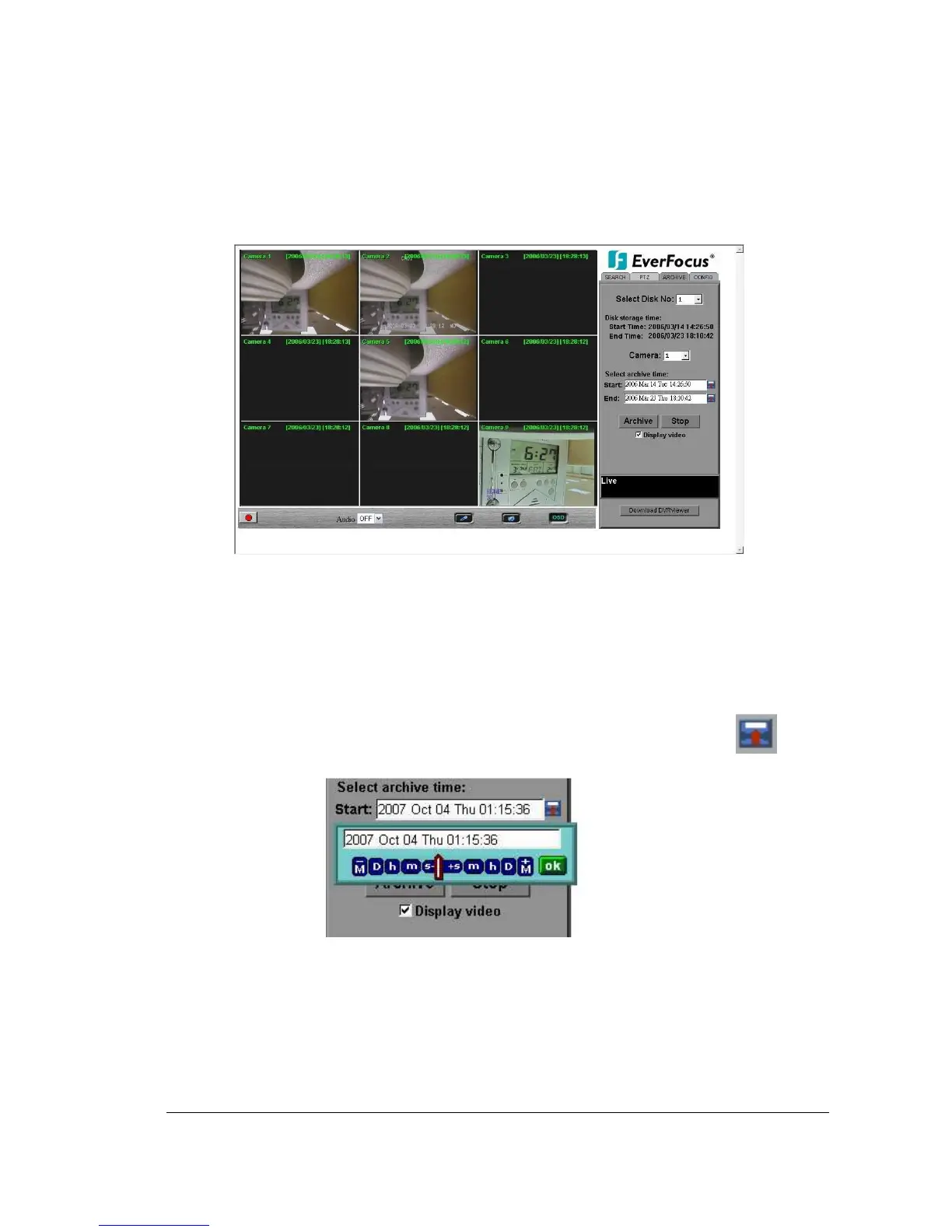
To Archive files:
1. Select Disk No.: The hard drive you want to archive from
2. Disk Storage Time: Start Time/End Time indicates the start and end time of the
selected disk
3. Camera: Select the camera that you wish to archive from.
4. Start: Select the start time of the archived video.
5. End: Select the end time of the archived video.
There are 3 ways to search either Start or End time to be archived. Press first.
1) Press on the M button to change the Month to be searched, D for day, h for
hour, m for minute and s for second. The buttons on the left side are to decrease
the value, whereas those on the right side are to increase the value.
2) Move the slide bar between the buttons to change Month, Day, Hour, Minute,














 To Next Page