10
1010
10
1
1
.
.
5
5
M
M
o
o
n
n
i
i
t
t
o
o
r
r
D
D
i
i
s
s
p
p
l
l
a
a
y
y
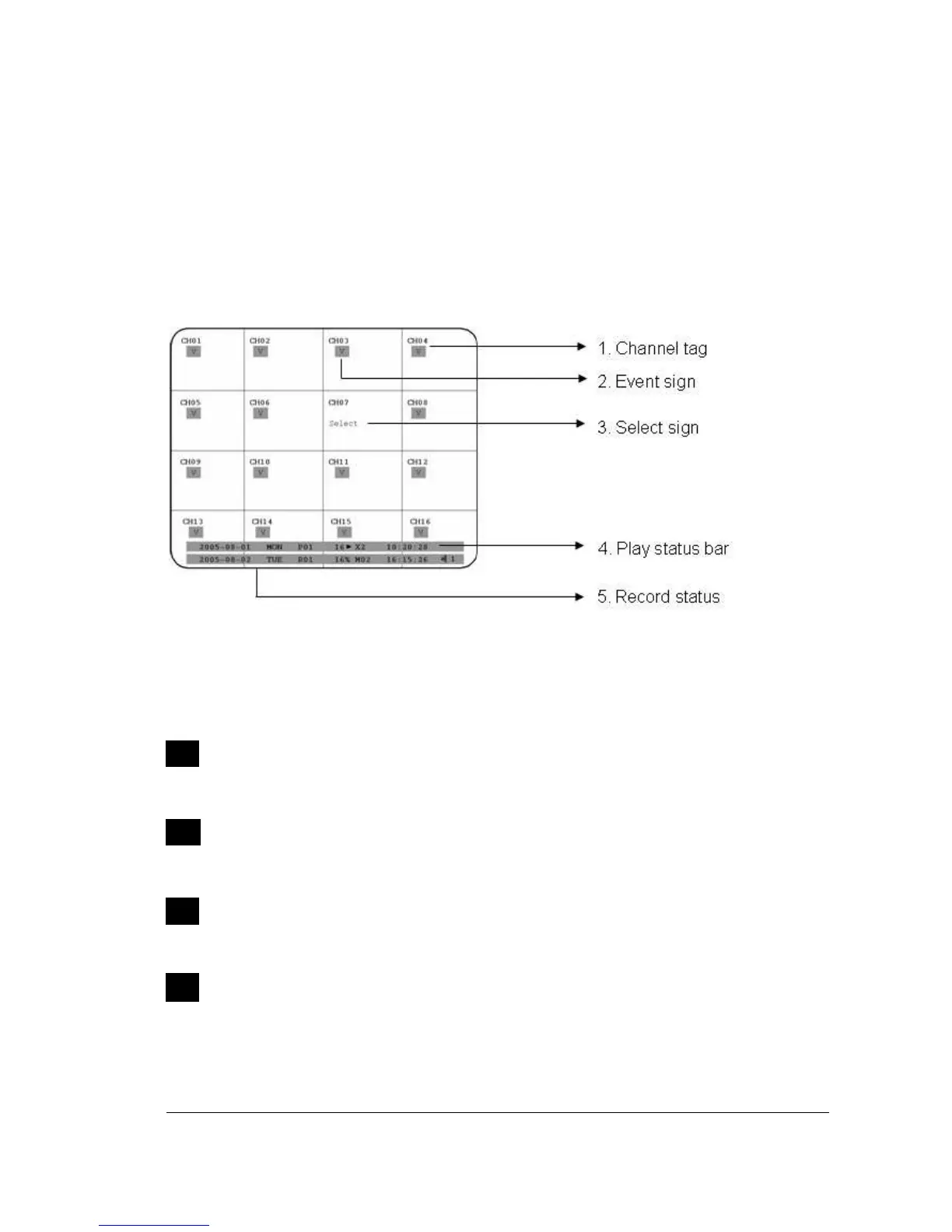
The status information of the cameras or machine will show up, and be located at
different places on the screen.
1
. Channel tag
A channel tag indicates the channel name of the screen.
2
. Event sign
Event signals which are small icons with a capital letter and red background show
the events on each screen. There are a total of 6 different signals:
Alarm event.
Alarm event shows on a channel if an ALARM is enabled for that camera in the
ALARM SETUP MENU and an alarm is triggered.
Motion event.
Motion event only shows up when the camera’s MOTION is enabled in MOTION
SETUP MENU and the camera detects movement.
Video loss event.
Video loss event only shows when the camera’s VIDEOLOSS is enabled in
VIDEOLOSS SETUP MENU and the camera signal is lost.
Sequence sign.
Sequence sign shows up when the display is in sequence mode.














 To Next Page