28
2828
28
3
3
.
.
4
4
A
A
l
l
a
a
r
r
m
m
S
S
e
e
t
t
u
u
p
p
M
M
e
e
n
n
u
u
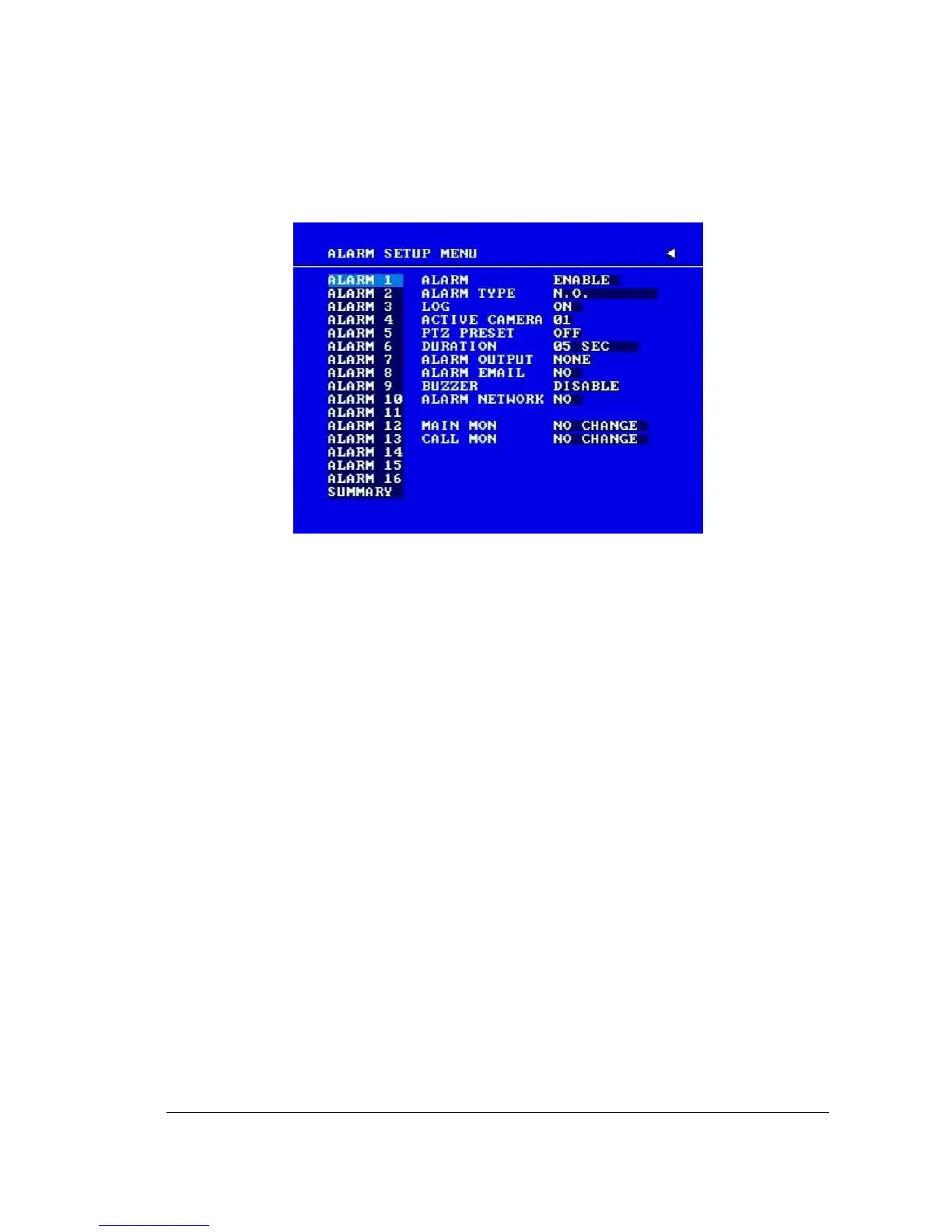
Diagram 3.7
Diagram 3.7 is a screen shot of the ALARM SETUP MENU. An alarm is defined as an
electronic or mechanical device that sends a warning signal under specific circumstances.
In this case the signal triggers the recorder to start recording the alarmed event. This menu
contains all the alarm operations and options needed to successfully complete an alarm
recording. In the ALARM SETUP MENU the following fields are defined:
1. ALARM
This field is to turn alarm detection ON or OFF. The default value is ENABLE. To
change this, simply use the Jog Dial on the DVR.
ENABLE: Enable alarm detection.
DISABLE: Disable alarm detection.
2. ALARM TYPE
This field is to change the type of alarm recording. The default value is N.O. To change
this, simply use the Jog Dial on the DVR.
N. O.: Normal Open alarm.
N. C.: Normal Close alarm.
N.O. Trans.: When the alarm is triggered, buzzer, alarm output and alarm recording
remain active until alarm is set back to N.O.
N.C. Trans.: When the alarm is triggered, buzzer, alarm output and alarm recording
remain active until alarm is set back to N.C.














 To Next Page