117
117117
117
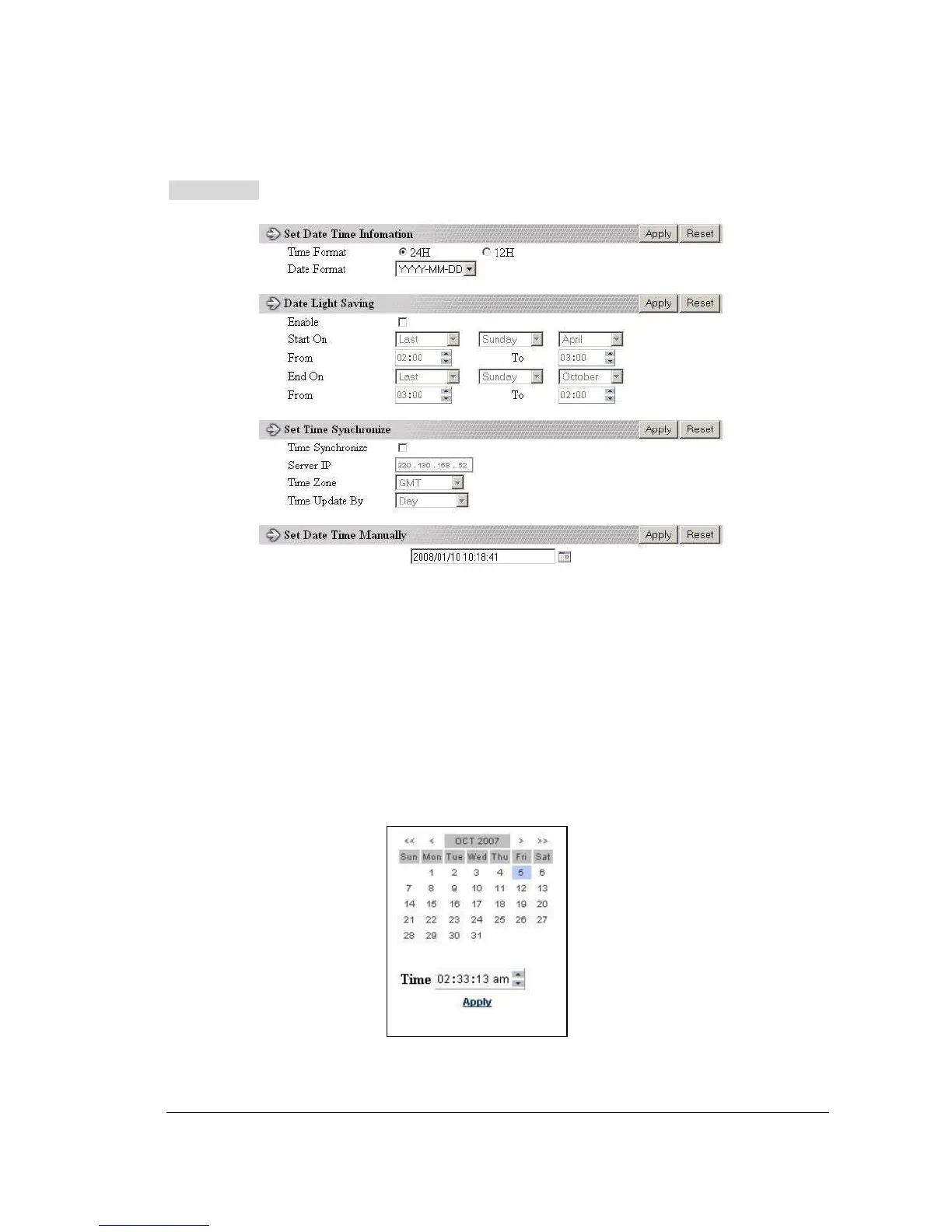
DATE/TIME setup menu
Set Date/Time Manually
1. Click on the calendar button to set Date/Time manually. A calendar will show up
as shown below.
2. Click “<<” to decrease Year value, “>>” to increase Year value.
3. Click “<” to decrease Month value, “>” to increase Month value.
4. Click on the selected date directly.
5. Click on the Hour, Minute, Seconds to change Time value. Up arrow for
increasing and Down arrow for decreasing the value. This is also used to
change between Am and Pm.
6. Finally, click Apply to confirm setting.














 To Next Page