12
1212
12
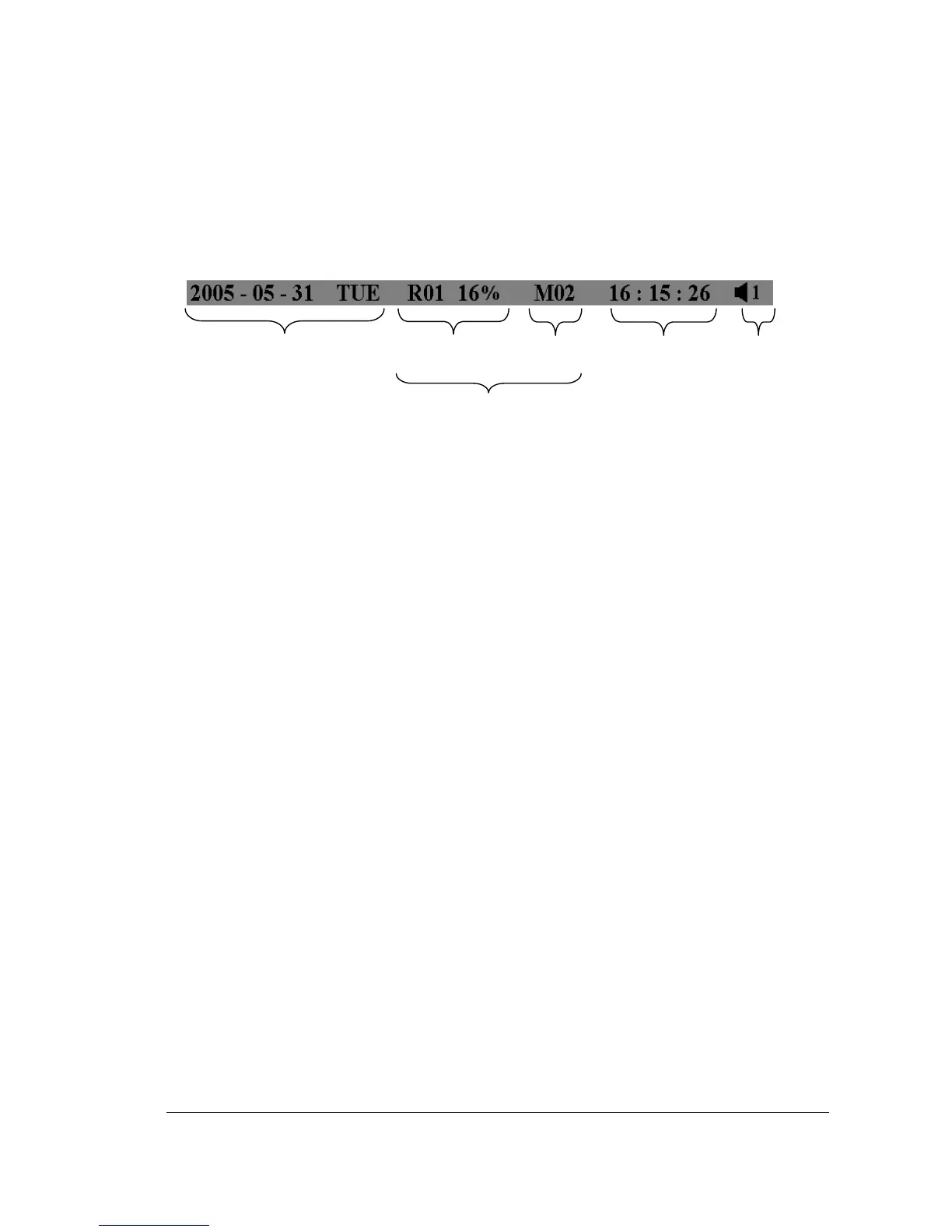
4. Record status bar
The record status bar appears when you enable a status bar on the screen.
There are four parts: current date, record status, event, and current time.
1. Current date
The current date which is set in the TIME/DATE SETUP MENU.
2. Record status
While the unit is recording, current HDD and percentage is displayed.
e.g: “R01 16%”: currently recording on HDD 1, 16% full.
3. Event
The current/last event that occurred.
4. Current time
The current time which is set in the TIME/DATE SETUP MENU.
5. Audio Ch
Displays which audio channel is currently active. This can be changed by
turning the Jog wheel in the live camera mode.
6. HDD/Fan status
“No Disk”: only shows when no disk is installed or detected.
“No Fan”: only shows when internal fan stops working.
“HDD OT”: only shows if hard drive is over temperature.














 To Next Page