Fn
Fn
CHAPTER 8 MAINTENANCE
8-1 RESET ALL PARAMETERS BACK TO DEFAULT
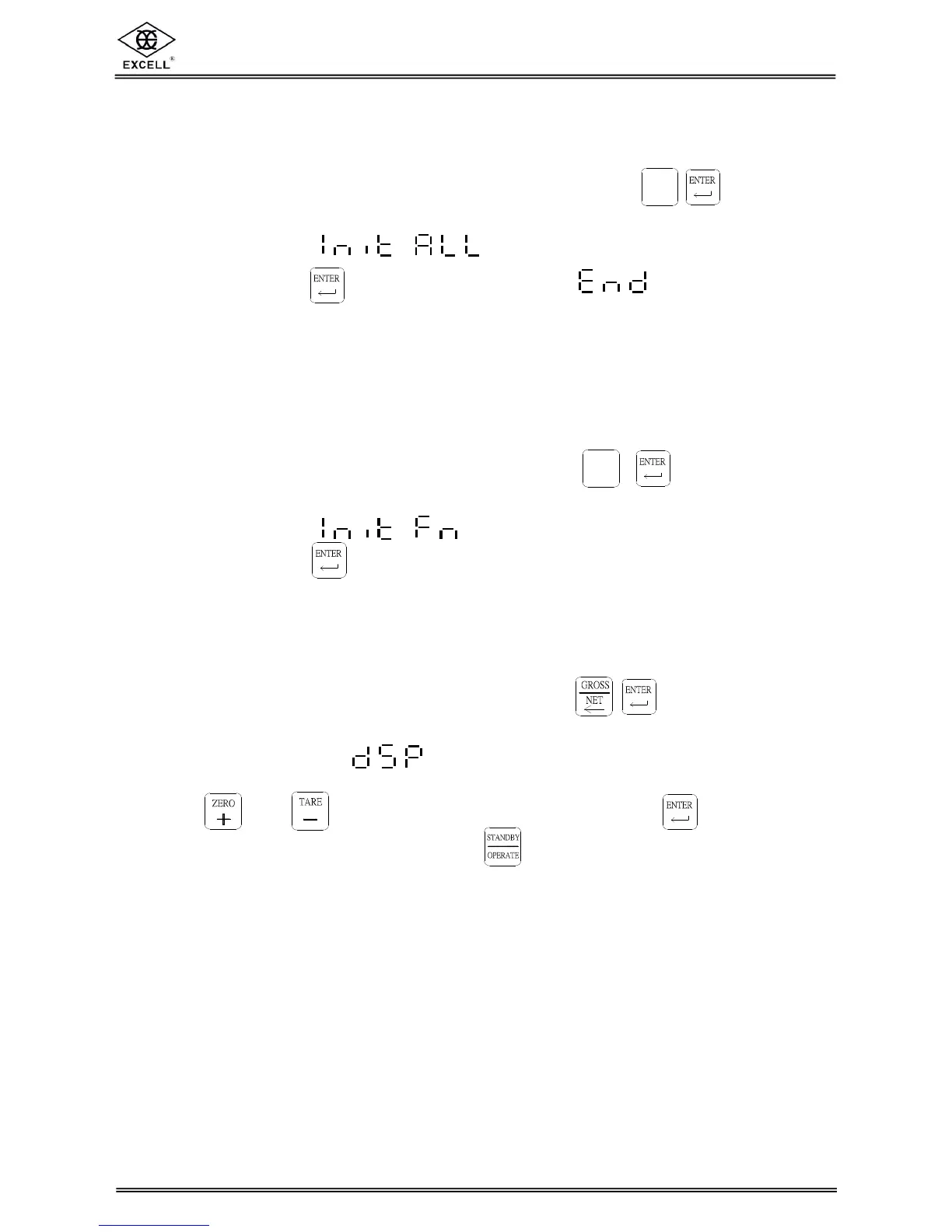
(1) Switch the capacity calibration switch to “ON”, press and hold keys
together when the indicator is in the self-testing sequence.
(2) The display shows . .
(3) Press and hold the key until the display shows . Switch the calibration
switch to “OFF”.
8-2 RESET GENERAL FUNCTION PARAMETERS BACK TO
DEFAULT
(1) When the indicator reset back to zero, press and hold keys.
The indicator is in the self-testing sequence.
(2) The display shows . .
(3) Press and hold the key until the indicator resets.
8-3 SELF-DIAGNOSIS MODE
(1) When the indicator reset back to zero, press and hold keys.
The indicator is in the self-testing sequence.
(2) When the display shows , it means the indicator is already in the
Self-diagnosis mode.
(3) Press and keys to select a diagnosis item. Press the key to enter
the selected item for diagnosis and press to exit.


 To Next Page