EXCELL PRECISION CO., LTD
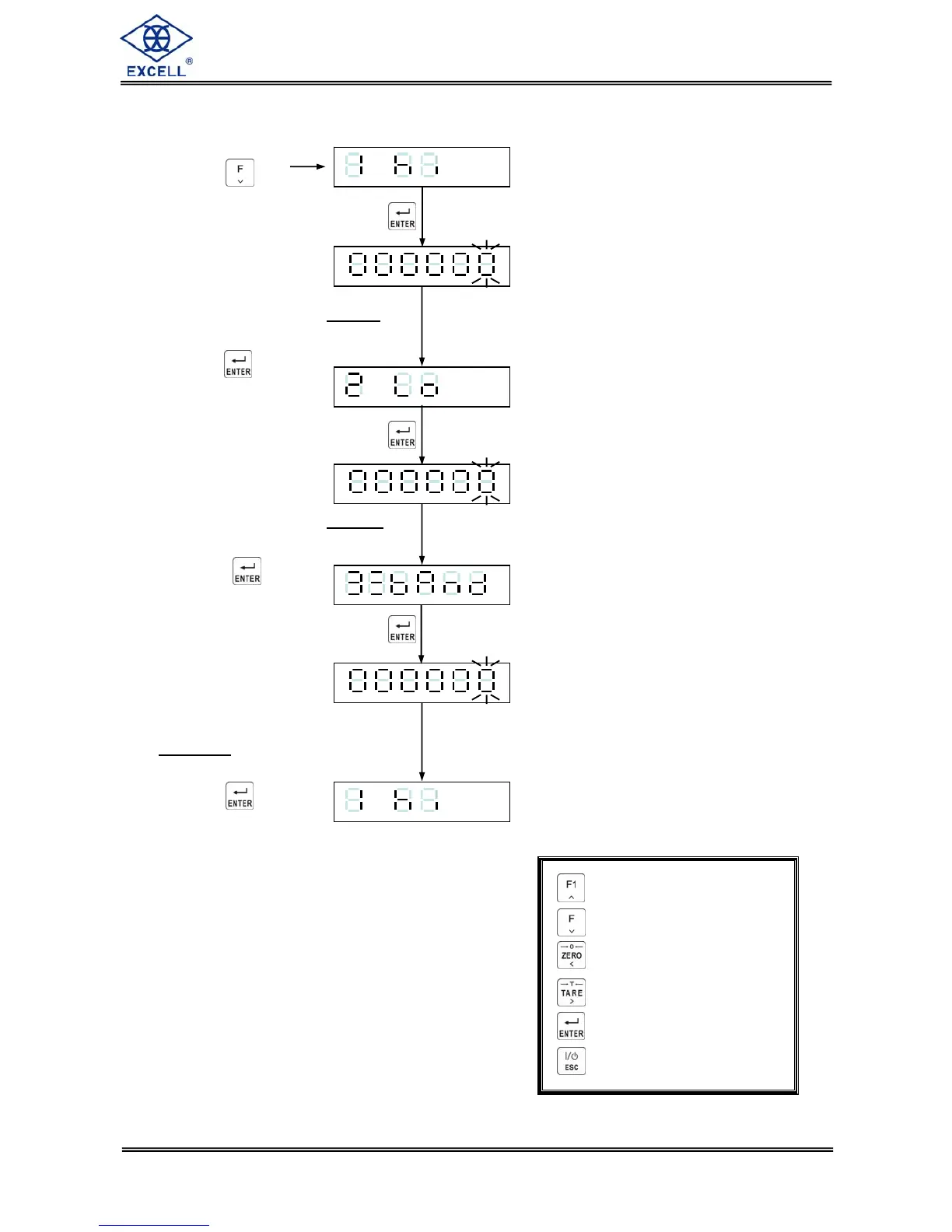
2. FNC-04 = 1, SQ-01 = 3
Press the Key
Display shows the existing Hi value
setting, Input new value as required.
Press the key
Display shows the existing Lo value
setting, Input new value as required.
Press the key
Display shows the existing
Zero Band
setting. Input new value
as required.
Press the key
⇒ Increment flashing digit
⇒ Decrement flashing digit
⇒ Move flashing point left
⇒ Move flashing point right
⇒ Store data in memory
⇒ Exit / Escape
.
.
. .
.


 To Next Page