Mt 880/870/En/Rev. 002/05/98 * 901.882.002
BEISSBARTH MT 870 / MT 880
3-3
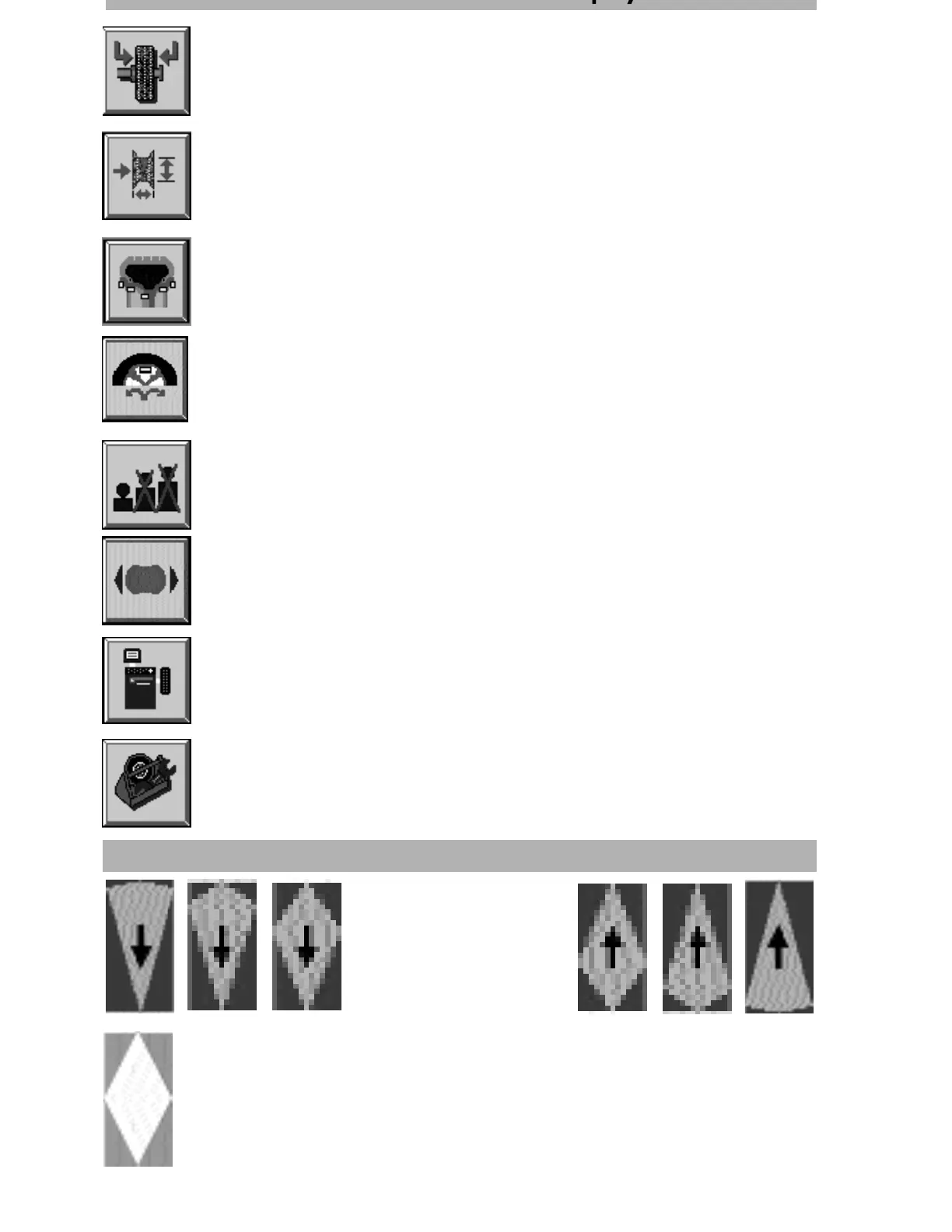
Inner/outer wheel plane
After a balancing operation you can switch between the inner and outer balancing
plane with this button.
Enter rim dimensions
This button activates the screen button that is used to select rim distance, rim
width and rim diameter and for altering the unit of measurement from milli-
metres to inches (see also Page 3-4 and Chapter 6).
Select weight attachment
Press this screen button to choose between 8 different methods of balancing
(see Page 3-4).
Fine balancing
If you have selected a suppression threshold and/or the rounding-off of the
imbalance display, pressing this button will show the actual values for a short
period.
System set-up
Press this button to make various preliminary settings, such unit of weight and
date/time (see Page 3-5).
Special functions
This button starts various special functions, e.g. flange and weight calibration
(see Page 3-5).
Green adjusting arrow
Lights up when the weight position is reached.
Red adjusting arrow
The shape of the point indica-
tes how far it is to the weight
position.
u o s o a sc ee d sp ay
Balancing procedure symbols
Free-choice weight positioning
Splits the balancing weight proportionally to two freely selectable balancing
positions.
Releases brake briefly



 To Next Page