RESTRICTED USE ONLY Fargo Electronics, Inc.
HDPii High Definition Card Printer/Encoder User Guide (Rev. 1.1)
5-32
Printing a Test Image
Step Procedure
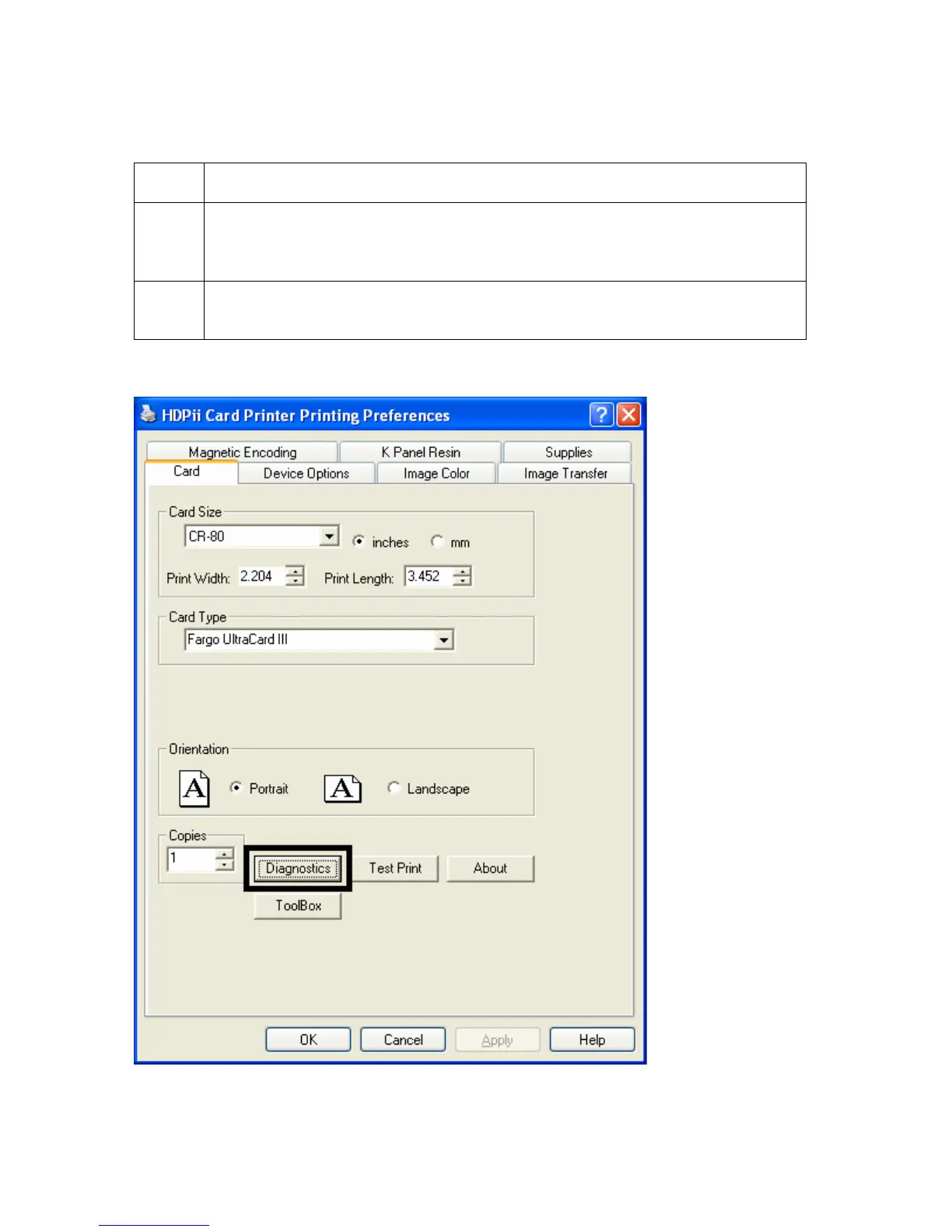
1 Open the Diagnostic Tool from the Driver. Choose Run Tests to select a
preset test image. Select Self Tests. See Displays A and B, below. (Note:
These images help to determine if the Printer is functioning properly.)
2 Scroll to the desired Self Test image from the Choose Test window options
and press the Run Test button.
Display A – Click on the Diagnostic button.












 To Next Page