RESTRICTED USE ONLY Fargo Electronics, Inc.
HDPii High Definition Card Printer/Encoder User Guide (Rev. 1.1)
6-17
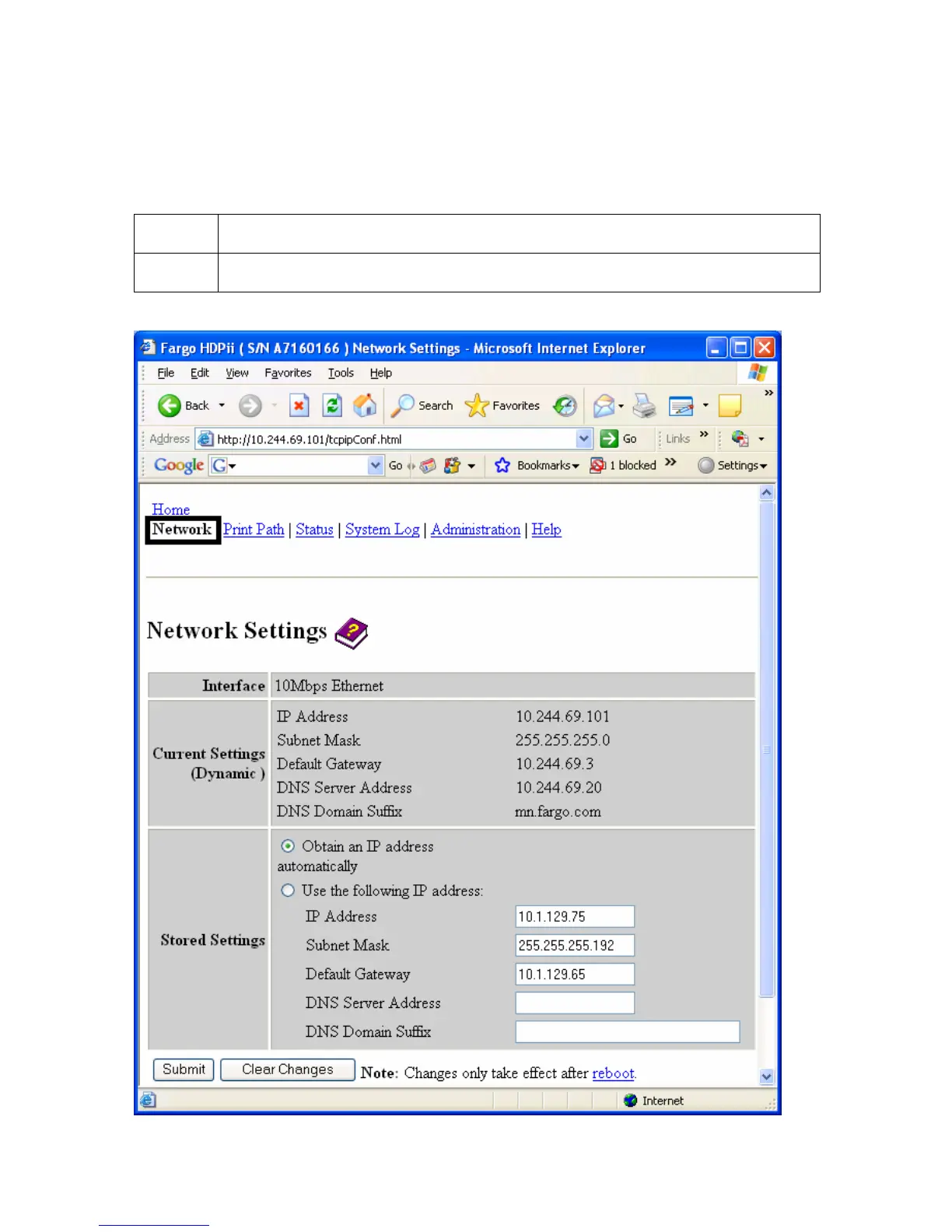
Accessing the Network Settings page
The Network page displays the current network settings and allows the User to change the
settings.
Step Procedure
1 Select the Network link from any web page of the Printer.












 To Next Page