RESTRICTED USE ONLY Fargo Electronics, Inc.
HDPii High Definition Card Printer/Encoder User Guide (Rev. 1.1)
9-16
Section 9: Toolbox
This section describes the Toolbox function.
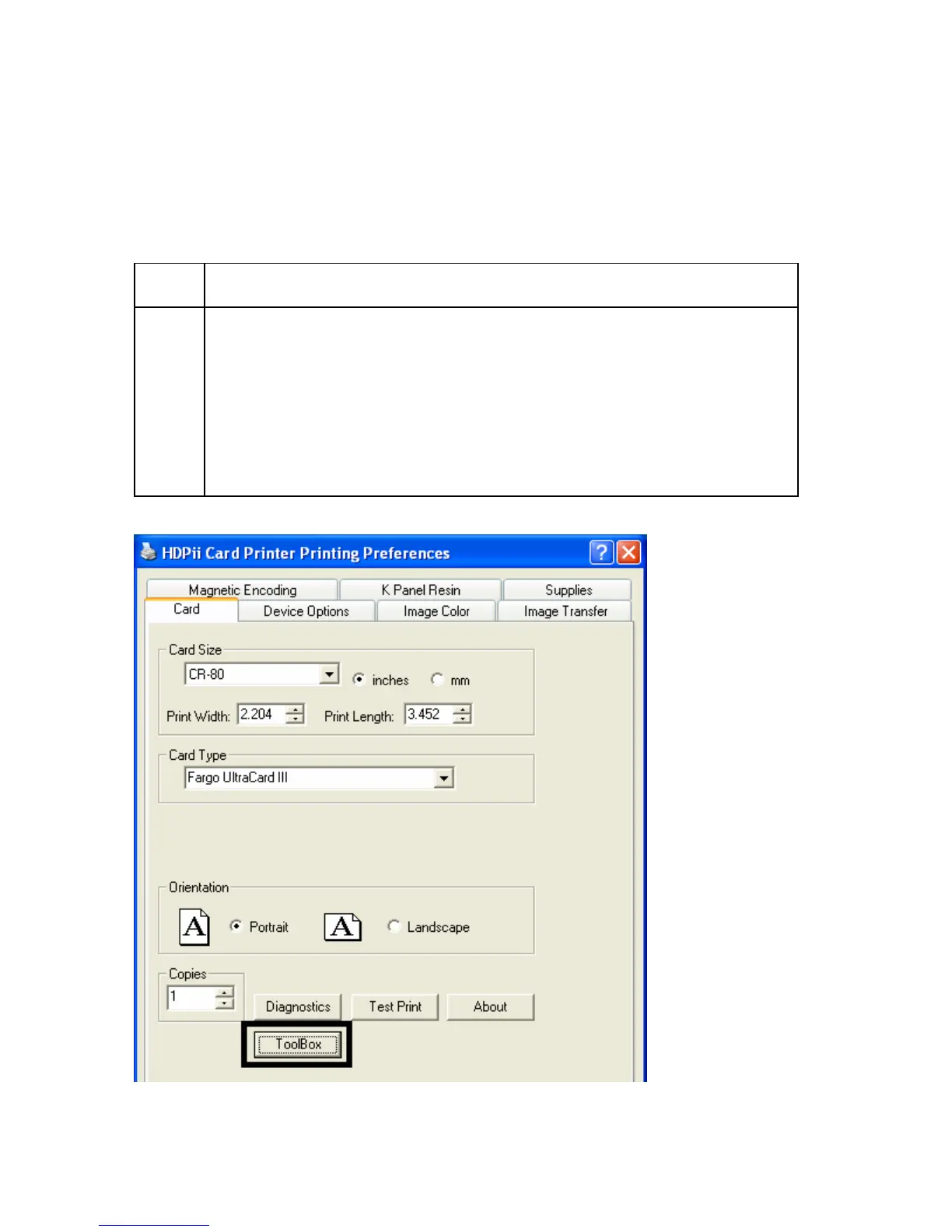
Accessing the Toolbox
Step Procedure
1 Select Toolbox to access the Toolbox window and its tabs, as shown
throughout this section.
• OK button: Closes the dialog box and saves the Driver configuration
changes since the Driver dialog box has been opened.
• Cancel button: Closes the dialog box and cancels the Toolbox changes
since the Driver dialog box has been opened.
• Help button: Launches Help specific to the active tab.












 To Next Page