RESTRICTED USE ONLY Fargo Electronics, Inc.
HDPii High Definition Card Printer/Encoder User Guide (Rev. 1.1)
8-13
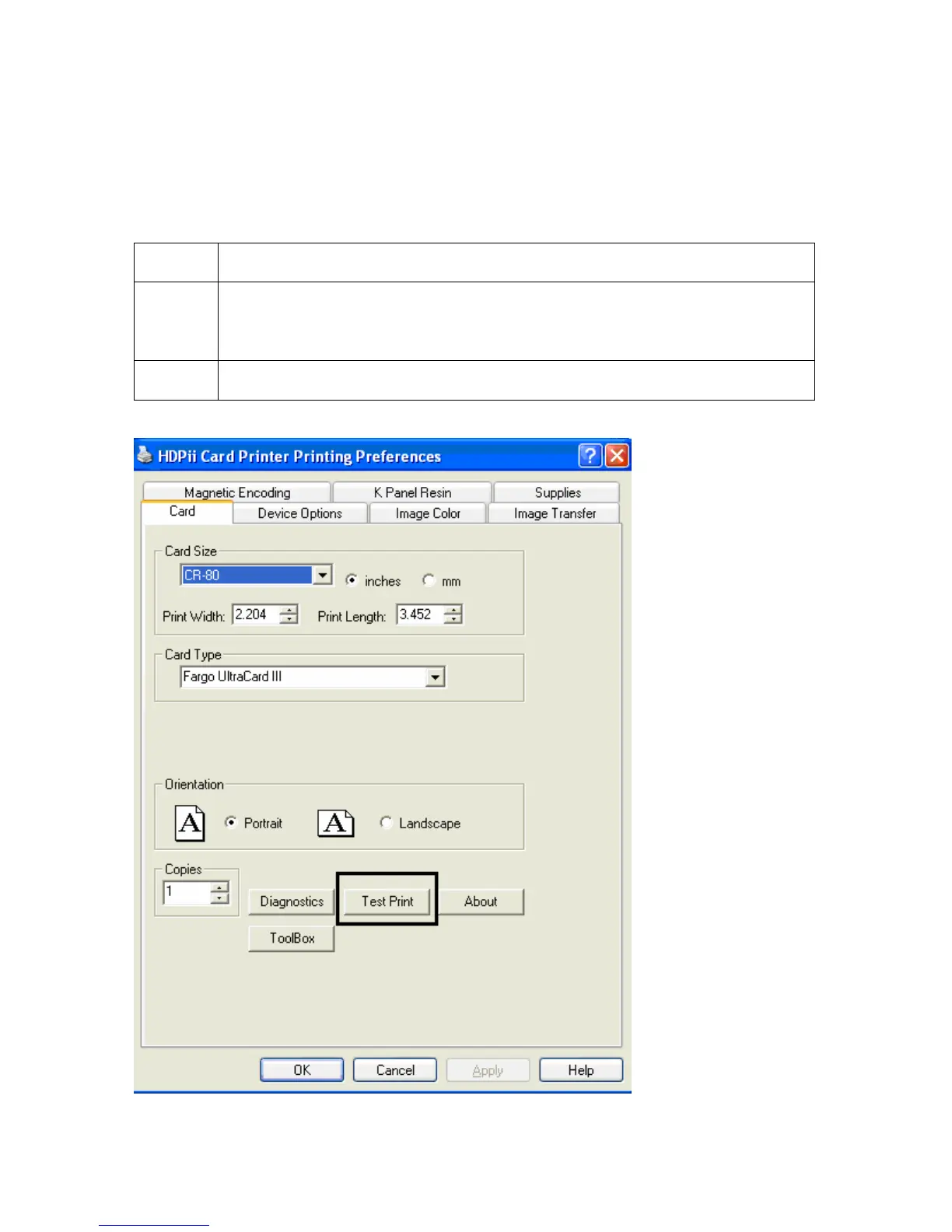
Using the Test Print
The printer has a test print file, which can be sent to the printer to verify the Inhibit Panel
functionality. This test image uses a pre-formatted inhibit area and will not test a
user-defined inhibit bitmap. To use this test of the inhibit panel perform these steps.
Step Procedure
1 Bring up the Printer Preferences dialog via Start -> Settings -> Printers
and Faxes. Right click on the HDPII printer instance; then left click on
Printer Preferences to select the Card tab.
2 Click on the Test Print button.












 To Next Page