RESTRICTED USE ONLY Fargo Electronics, Inc.
HDPii High Definition Card Printer/Encoder User Guide (Rev. 1.1)
8-6
Using the Inhibit Panel (via Application)
The inhibit bmp file can be generated with any bit map editor. The following procedure
explains how this is done with Microsoft Paint.
Step Procedure
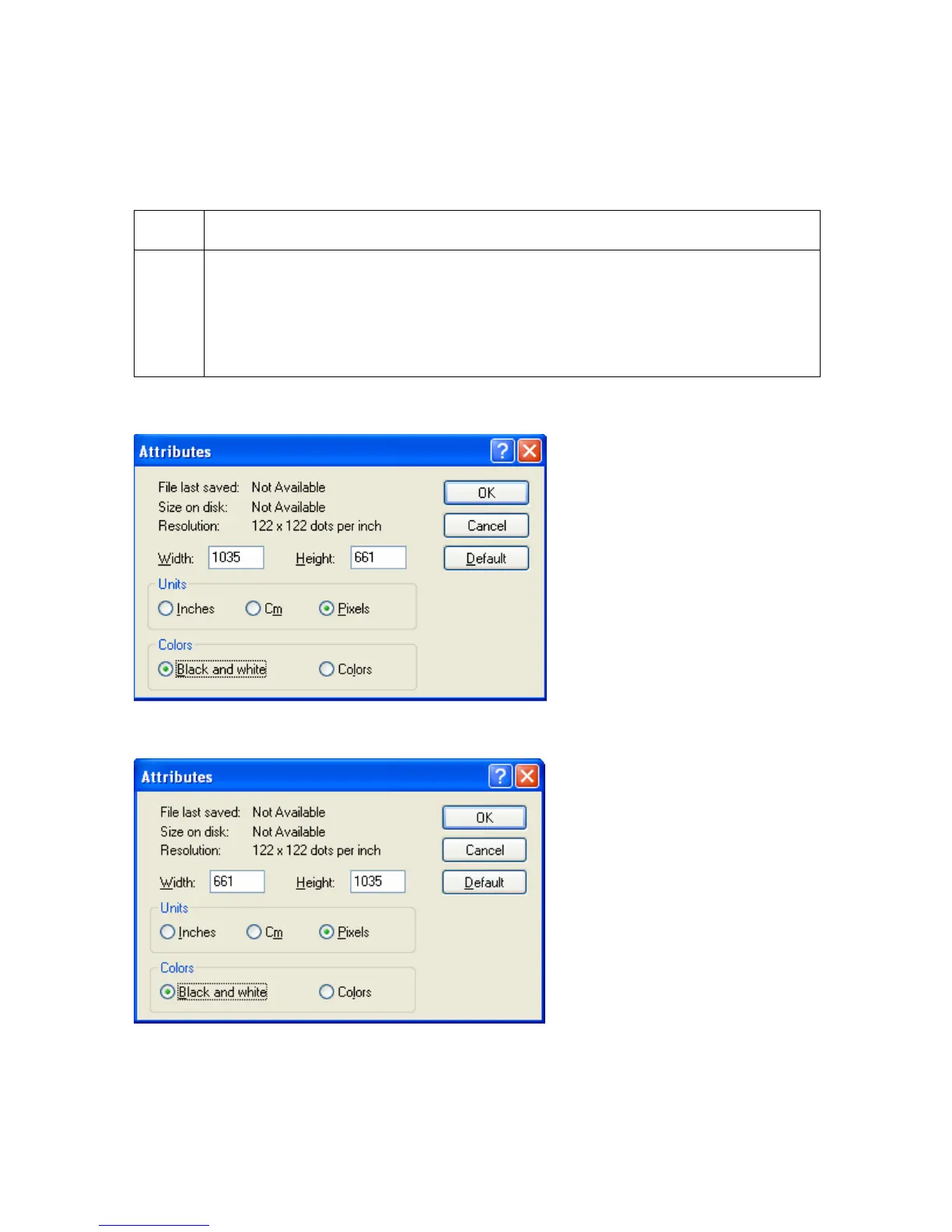
1 Create a bitmap file using Microsoft Paint. Note: The size for landscape
orientation is 1035 pixels in width and 661 pixels in length. The size for portrait
orientation is 661 pixels in width and 1035 pixels in length. Set this under Paint
–Image –Attributes.
Select “black and white” under COLORS.
Landscape Orientation (see below)
Portrait Orientation (see below)












 To Next Page