Partie III – Pump programming
29
Comments
▪
To simplify the process of setting up a new infusion, the
SO
♥
CONNECT PID
pump always displays the setup of the previous
infusion.
Step 1 : patient information
The SO
♥
CONNECT PID pump has a function for saving patient information. That information is used while exporting clinical data to the
SO
♥
UP program.
The patient information to enter is:
▪ surname,
▪ first name,
▪ date of birth,
▪ number of infusion sites,
▪ the residual rate,
▪ name of the medication used for the treatment.
The SO
♥
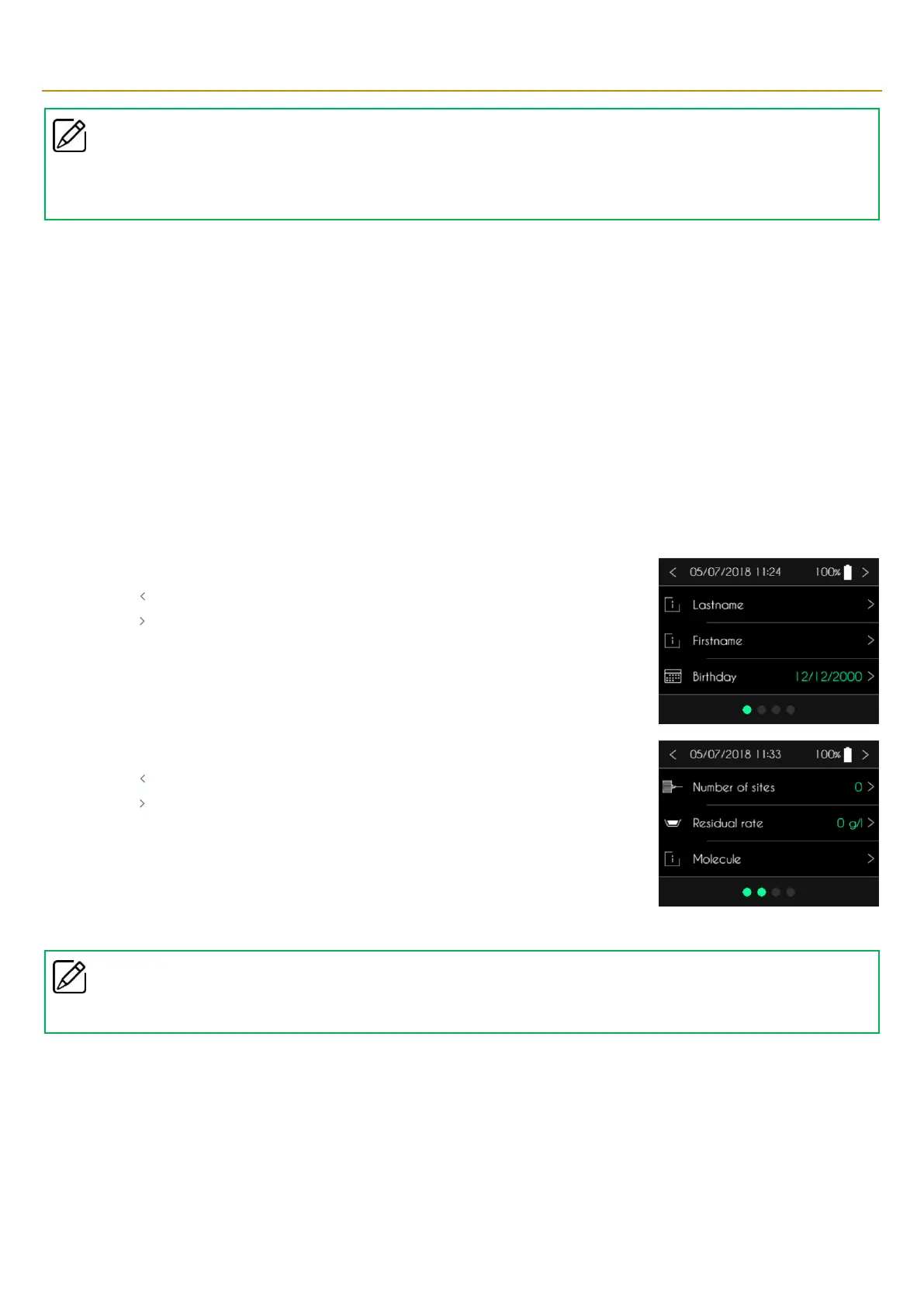
CONNECT PID pump displays the first patient information screen.
▪ Press “ ”to return to the main screen.
▪ Press “ ” to go to the next screen.
By default, the surname, first name and name of the medication are empty. The date of birth is
000/00/0000.
The SO
♥
CONNECT PID pump displays the second patient information screen.
▪ Press “ ”to return to the main screen.
▪ Press “ ” to go to the next screen.
By default, number of sites and the residual rate are 0 and the name of the medication is empty.
Comments
▪
To continue configuring an infusion, you must, at a minimum, enter the date of birth of the patient.



 To Next Page