Partie III – Pump programming
35
Pump initialization
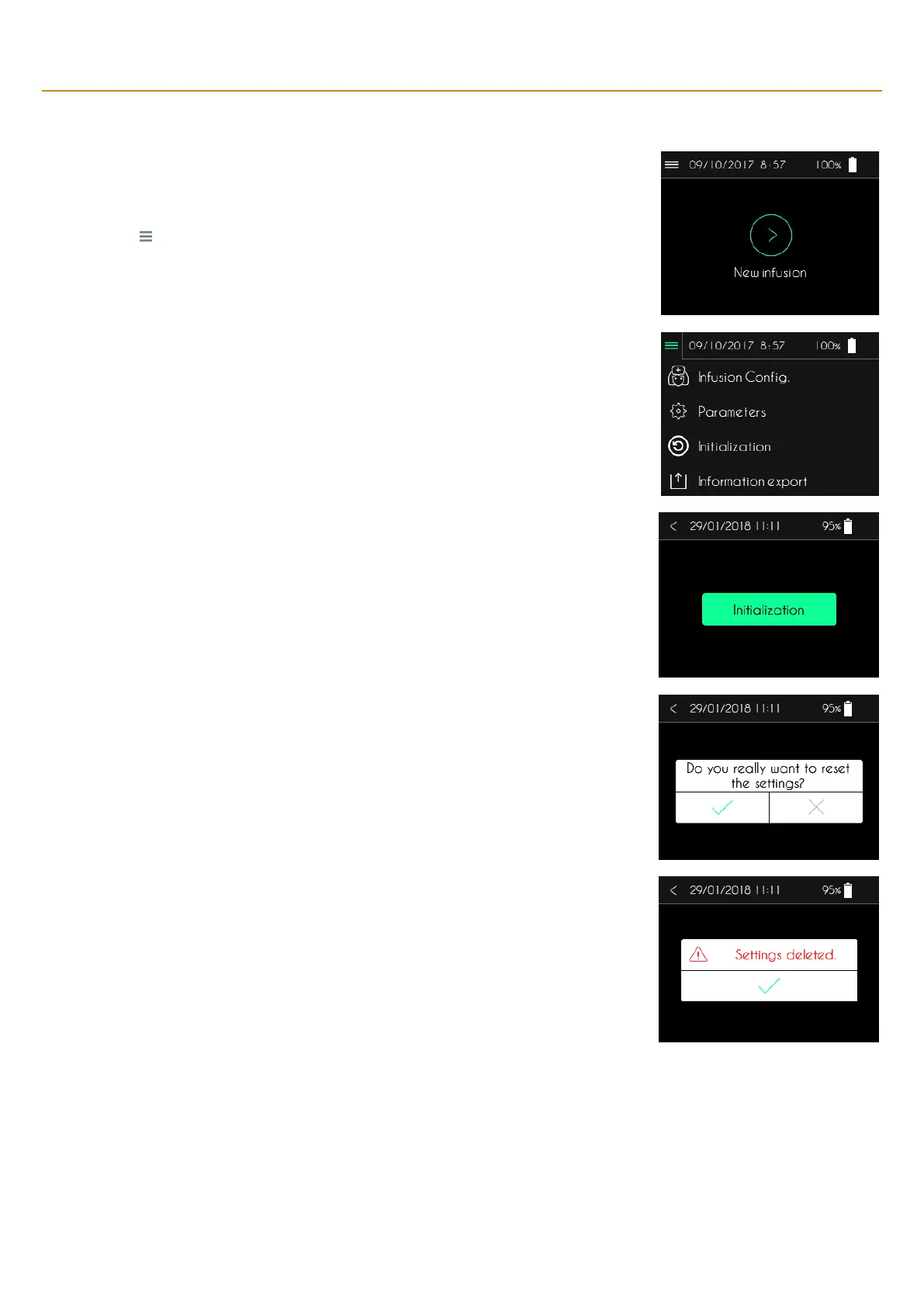
The patient information as well as the infusion parameters can be deleted by using the initialization
function.
▪ Press “ ” to open the menu for additional functions.
▪ Press “Initialization”.
The pump will display the first setup tab (Time, Date and Date format).
▪ Press “Initialization” to initialize patient information and infusion parameters.
▪ Press “<” to return the main screen.
After pressing Initialization, the pump displays a confirmation request.
▪ Press “✓” to confirm the initialization.
▪ Press “X” to cancel the initialization.
After initialization, the pump displays a confirmation message.
▪ Press “✓” to return to the main screen.



 To Next Page