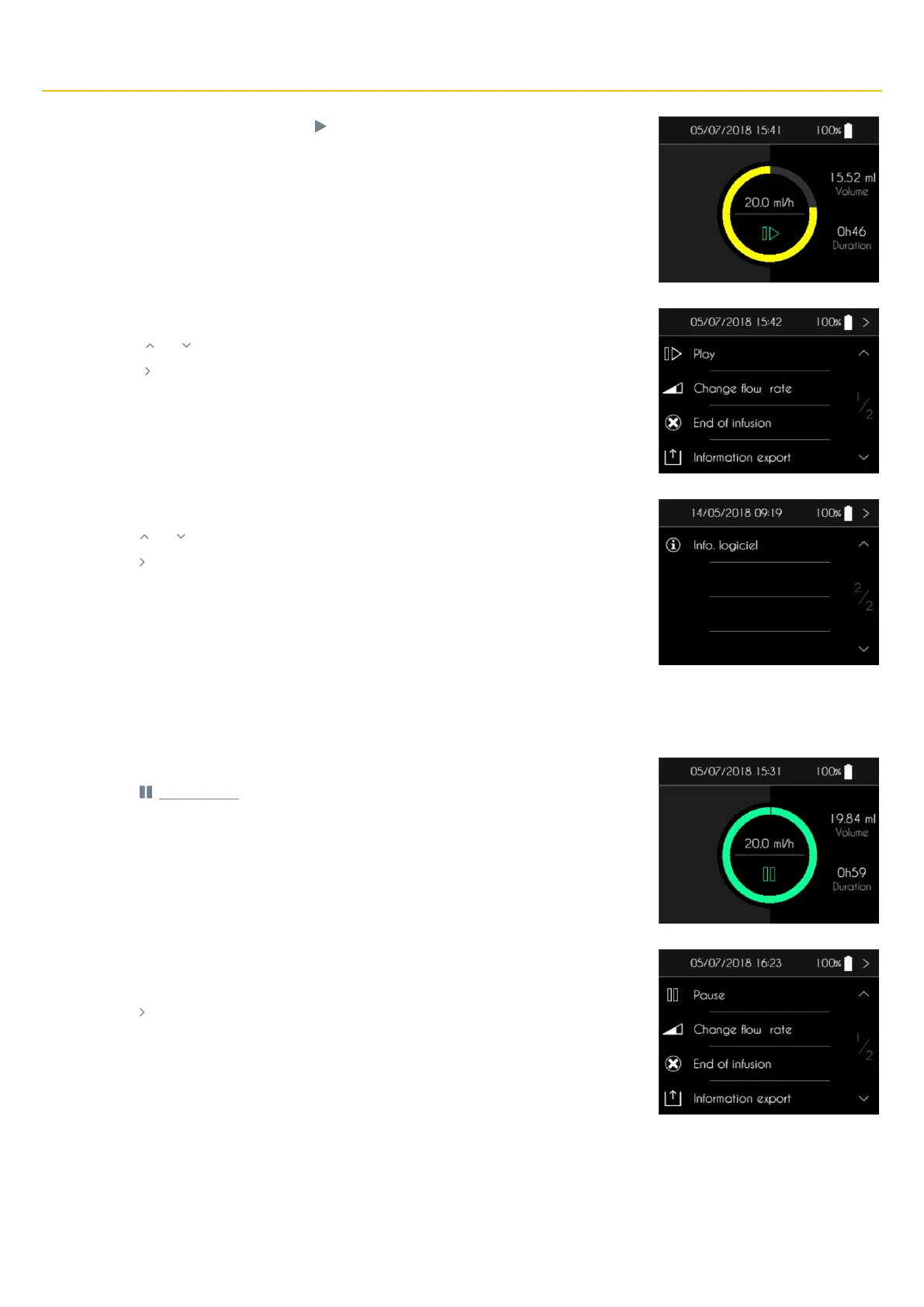
▪ When the infusion is paused, press “ ” to access to the infusion control menu.
The SO
♥
CONNECT PID pump displays the first page of the infusion control menu.
▪ Press “ ” or “ ” to display the second page of the infusion control menu.
▪ Press “ ” to return to the infusion control screen.
The SO
♥
CONNECT PID pump displays the second page of the infusion control menu.
▪ Press “ ” or “ ” to display the first page of the infusion control menu.
▪ Press “ ” to return to the infusion control screen.
While the infusion is under way, you can pause it.
▪ Press “ ” for 2 seconds.
The SO
♥
CONNECT PID pump displays the first page of the infusion control menu.
▪ Press “Pause” for 2 seconds.
▪ Press “ ” to cancel and return to the infusion control screen.



 To Next Page