Partie V – Infusion
52
Exporting clinical data –
Function reserved for medical staff
Warning
▪
The functions described in this chapter should only be used by trained medical personnel when using the pump. The use of these
functions by an untrained user can cause serious injury to the patient.
The SO
♥
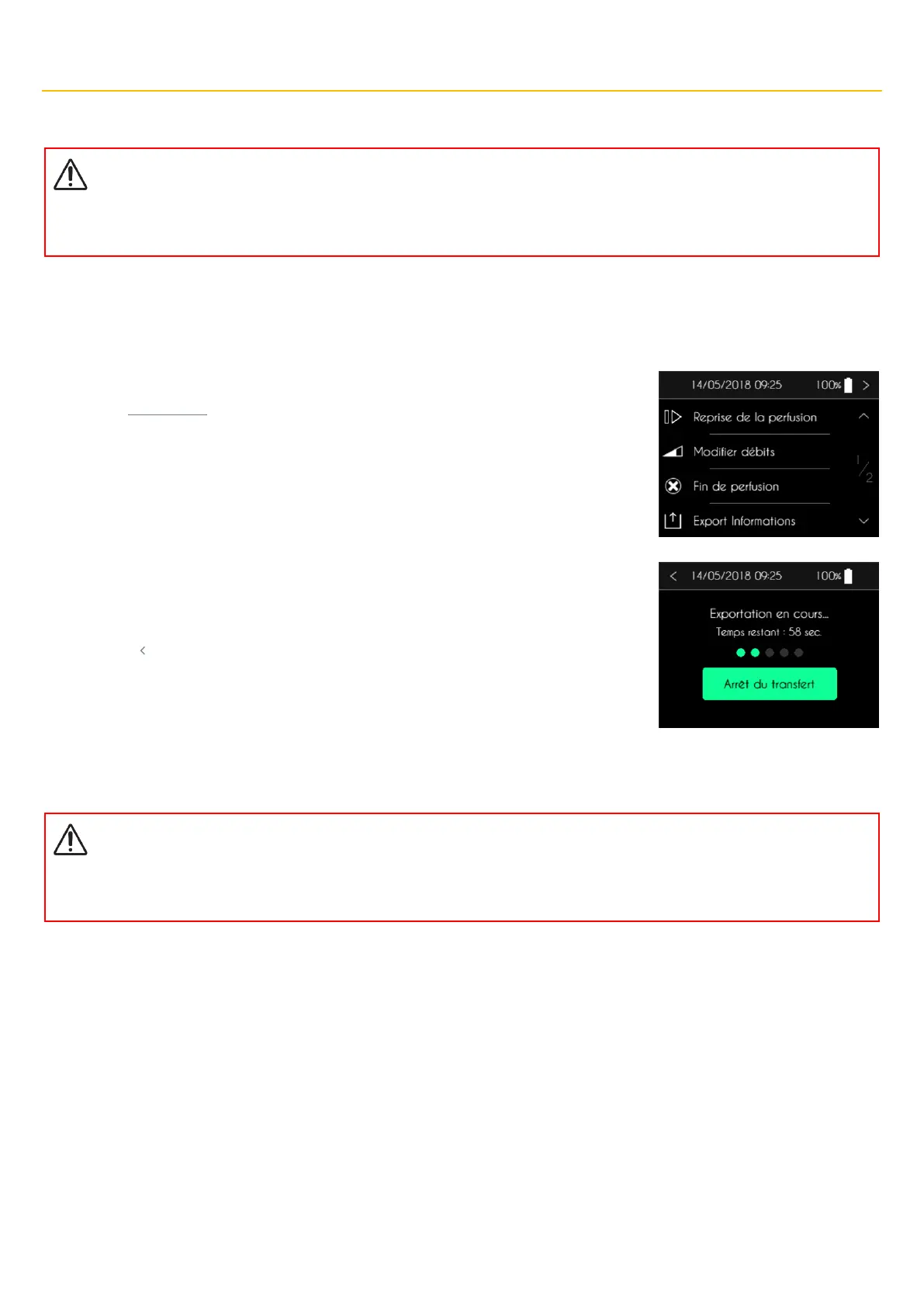
CONNECT PID pump provides the ability to export clinical data even while an infusion is in progress. This data can be exported to a
computer equipped with SO
♥
UP software using the Bluetooth Low Energy interface integrated in the SO
♥
CONNECT PID pump. This function
is accessible from the infusion control menu.
The SO
♥
CONNECT PID pump displays the first page of the infusion control menu. Press “Export
Informations” for 2 seconds.
After entering the password, the SO
♥
CONNECT pump displays the screen for exporting clinical
data..
▪ Press “Stop Transfer” to end the data transfer.
▪ Press “ ” to stop the data transfer and return to the infusion screen.
Visualization of the internal information of the pump –
Function reserved for medical staff
Warning
▪
The functions described in this chapter should only be used by trained medical personnel when using the pump. The use of these
functions by an untrained user can cause serious injury to the patient.
The SO
♥
CONNECT PID pump allows, during the infusion, to display the internal information of the pump:
▪ Version number of the internal software of the pump
▪ Version number of the bootloader
▪ The serial number of the pump
▪ The date of manufacture of the pump
This information may be required when contacting the help desk.
Access to this function is via the infusion control menu.



 To Next Page