Partie III – Pump programming
28
Setting up an infusion
Warning
▪
Before setting up a new infusion, check that the date and time are correct. The infusion rates and clinical data are saved based on
this information. Incorrect date and time settings can result in the incorrect administration of apomorphine.
Comments
▪
To simplify the process of setting up a new infusion, the
SO
♥
CONNECT PID
pump always displays the setup of the previous
infusion.
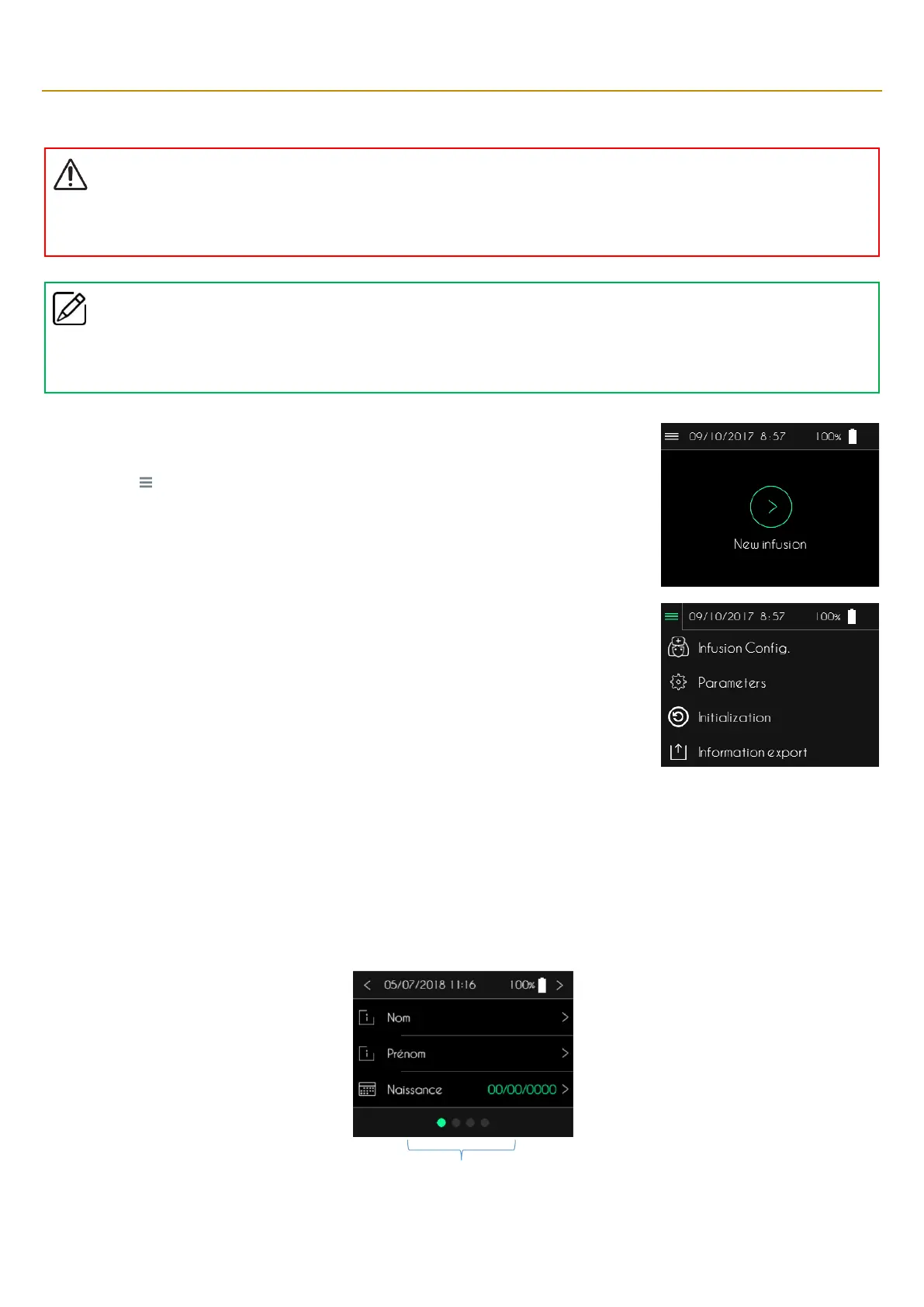
The infusion setup is carried out from the main screen.
▪ Press “ ” to open the menu for additional functions.
▪ Press “Infusion Config.”
After entering and validating the password, the configuration of an infusion is done in 3 steps:
▪ Step 1: enter patient information.
▪ Step 2: select the type of syringe and enter the volume to be infused.
▪ Step 3: enter the flow rate or the duration of the infusion.
At the bottom of each configuration screen, a banner shows the progression.
Visualization of the steps of the configuration



 To Next Page