Partie V – Infusion
49
Modifying the flow rate
The SO
♥
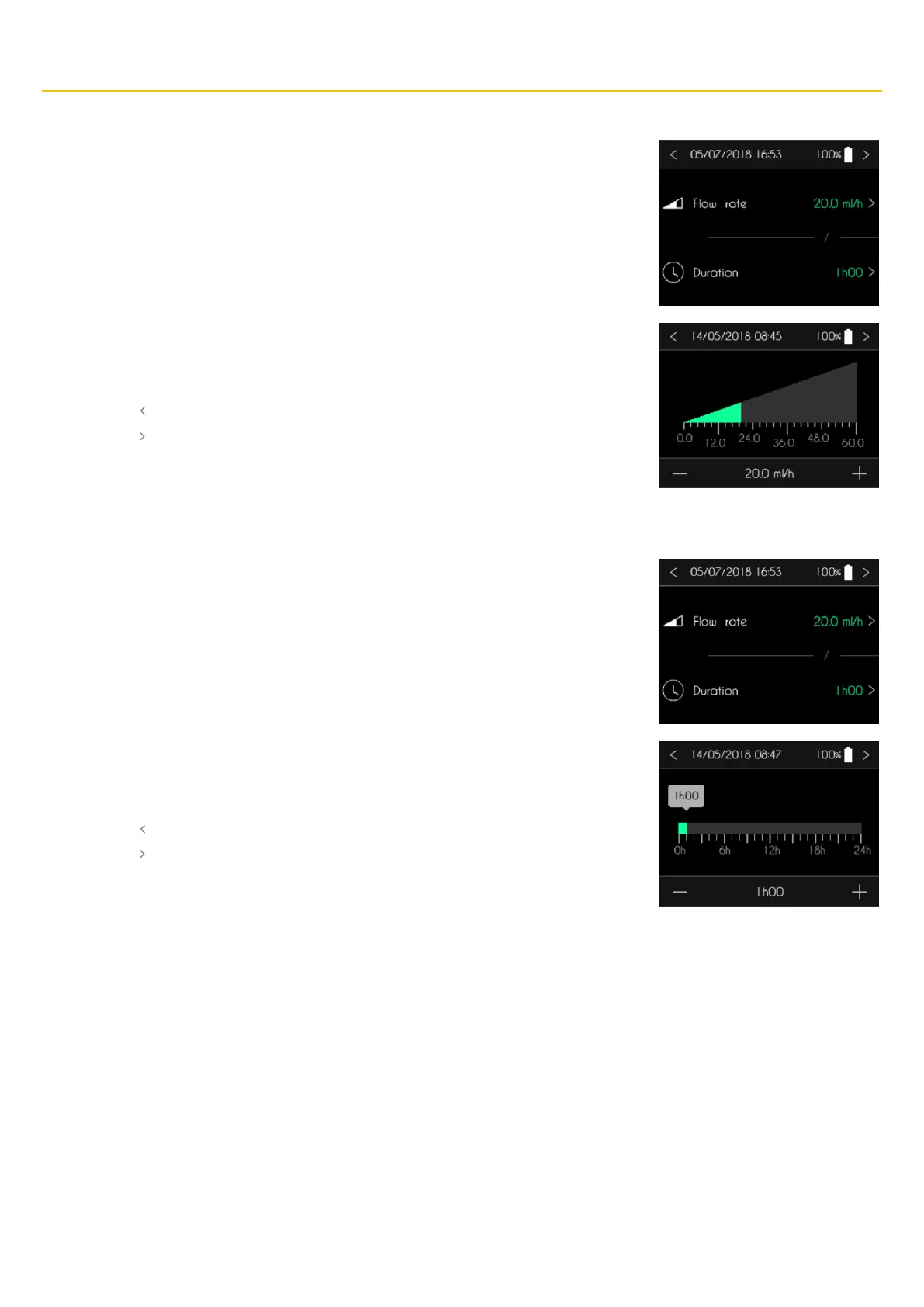
CONNECT PID pump displays the screen to modify the flow rate or the duration of the
infusion. Press the flow rate to modify it.
The SO
♥
CONNECT PID pump displays the screen to enter the flow rate.
▪ Press the graph to select the infusion rate.
▪ Adjust the value with “+” and “-“.
▪ Press “ ” to cancel and return to the previous screen.
▪ Press “ ” to confirm and return to the previous screen.
Modifying the duration of the infusion
The SO
♥
CONNECT PID pump displays the screen to modify the flow rate or the duration of the
infusion. Press the duration to modify it.
The SO
♥
CONNECT PID pump displays the screen to enter the duration of the infusion.
▪ Press the graph to select the duration.
▪ Adjust the value with “+” and “-“.
▪ Press “ ” to cancel and return to the previous screen.
▪ Press “ ” to confirm and return to the previous screen.



 To Next Page