Proteus A3/125 Technical Service Manual Revised 09.15.11
1
Introduction
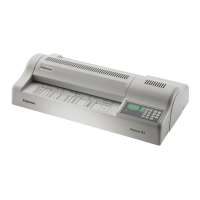
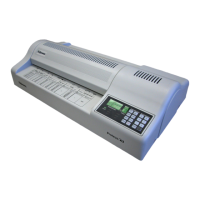
This Technical Service Manual contains the service and repair
procedures for Fellowes Proteus A3/125 Heavy Duty Laminator. The
manual provides maintenance procedures, a list of required tools,
troubleshooting suggestions, and a wiring diagram.
Use the troubleshooting information to help identify a specic
problem. Then turn to the appropriate section in the manual for
instructions.
Follow the service procedures carefully. Always note the location,
number, color, and position of parts and wires before removing them
so that they can be reassembled correctly. If there are no specic
instructions for reassembling an item, simply reverse the disassembly
procedure.
The Proteus A3 accepts the most common paper sizes used in the
global workplace — European A4 and A5, Japanese A4, and U.S.
letter size. It accepts paper up to 12.6" (32cm) wide and maximum
documents thickness up to 0.008" (2mm). For a pouch, the minumum
thickness is 3 mils (75 microns) per side and maximum thickeness
is 10 mils (250 microns) or 20 mils (500 microns) total thickness for
2 sides.
The Proteus A3 requires a warm-up time of approximately 3 minutes
and a cool down time of 30-60 minutes. The laminator has six
processing speeds up to 37" (95 cm) per minute.











 To Next Page