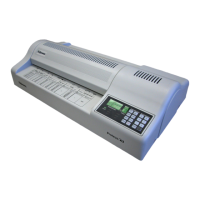
Proteus A3/125 Technical Service Manual Revised 09.15.11
5
If a laminator is pushed beyond its rated capacity, the quality of the
lamination may not be acceptable, even if the material is able to
move through the machine. If a jam occurs, the rollers or transport
mechanism may be defective. Press the Reverse button on the
operator panel to attempt to clear the jam.
WARNING!
Do not pull the pouch in an effort to clear a jam. This may
damage the machine.
Lamination Problems
Identify the type of lamination problem that is occurring. For each
instance, try the recommended solution.
Cloudy (entire lamination) - the temperature may be too low
or the speed may be too high. Reduce the speed and try
again. If the problem persists, increase the temperature in
increments of 5 degrees.
Cloudy (one side of lamination) - the roller pressure may
need to be increased.
Wavy (entire lamination) - the temperature may be too
high. Increase the speed and/or reduce the temperature in
increments of 5 degrees. Pass a cleaning sheet through or
turn up the speed to reduce the temperature. Increase the
thickness of the pouch.
Wavy (one side of lamination) - the roller pressure may
need to be reduced.
Spotted - the rollers may be dirty. Pass the cleaning sheet
through the rollers. If needed, the rollers may be wiped with
mineral spirits.
Open on edges - the pouch may be too wide. Make sure
the contents are at least 1/8" (3 mm) from the unsealed
edges of the pouch.
Note: When servicing, always test the lamination quality
before returning the machine to the customer.
Electrical Problems
The most common electrical problems result from loose wires or a
defective switch or PCB (PC Board). If the switch or PCB is defective,
the laminator may not run at all.











 To Next Page