Revised 09.15.11 Proteus A3/125 Technical Service Manual
2
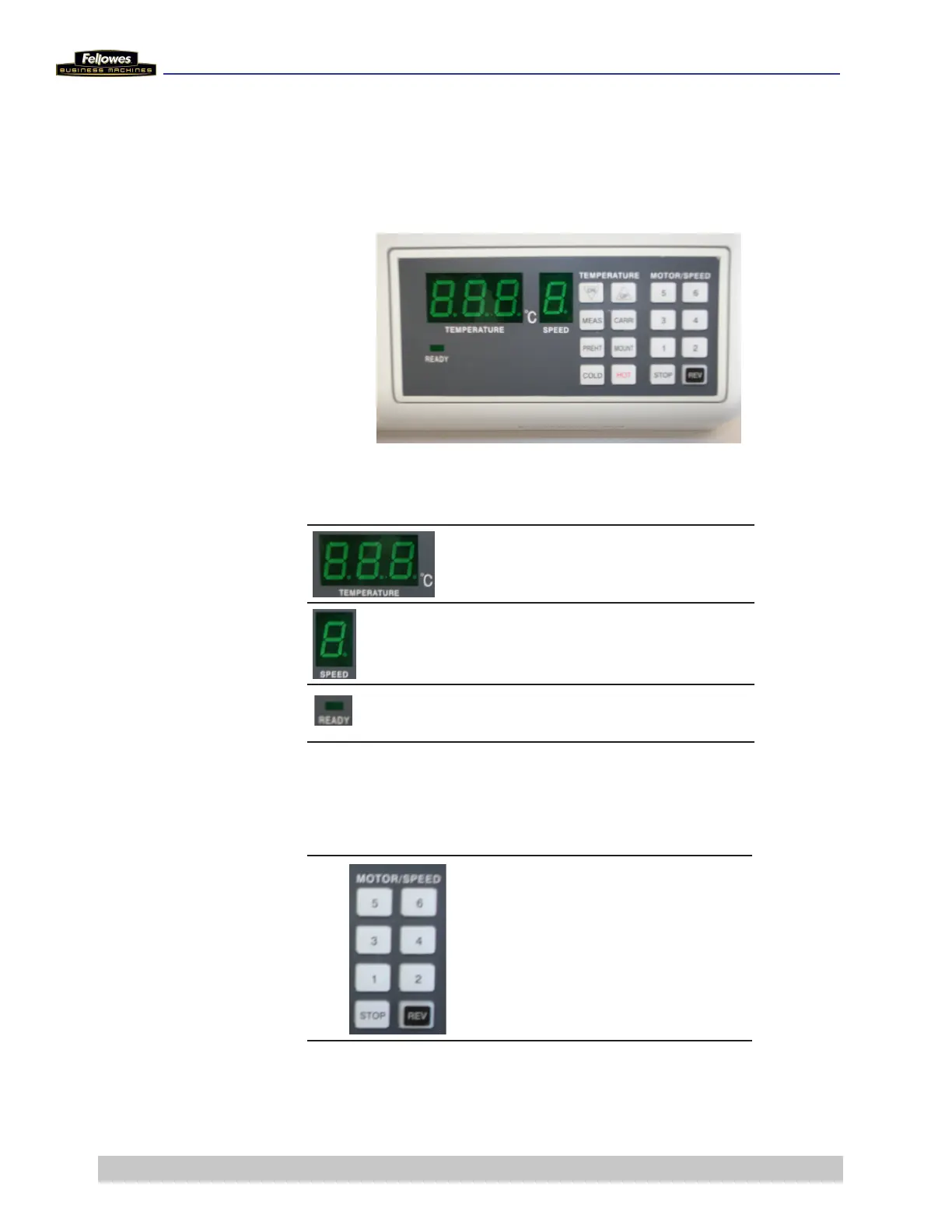
Control Panel
The control panel is located on the right side of the laminator. The
displays and controls are described below.
LED and Status Display
Indicates roller temperature
(pre-set and actual)
Indicates the running speed of the
rollers
Indicates roller temperature is
ready to laminate
Temperature Adjustment and Function Controls
Selects motor speed to suit the
pouch thickness
1 = mounting boards
2 = 250 microns and carriers
3 = 200, 175, and 150 microns
5 = 125, 100, and 80 microns











 To Next Page