3. Commissioning
3-15
Festo CPX-FB36-EN en 1611a English
Changing configuration of the participant
Configuration of the bus node can only take place if there is
no online connection to the controller.
1. Terminate an existing online connection to the higher-or
der controller:
[Communications] , [Go Offline]
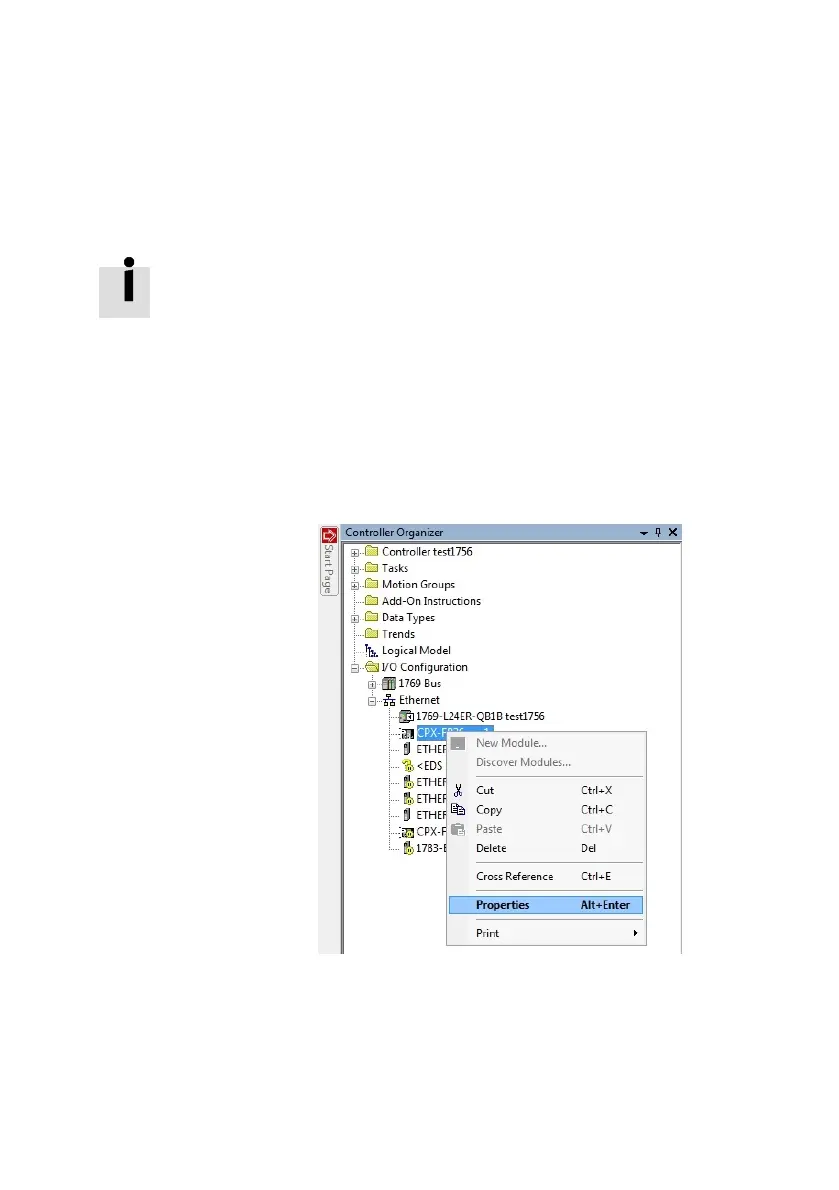
2. Open “Select Module Type” dialogue:
In the “Controller Organizer” window in the “I/O Configur
ation/Ethernet” directory, click on the corresponding
module with the right mouse button and select “Proper
ties” in the context menu.
Fig. 3/11: Context menu for “Properties” (Generic)
3. Change configuration of the participant through the input
fields and confirm with the “OK” button.



 To Next Page