3. Commissioning
3-17
Festo CPX-FB36-EN en 1611a English
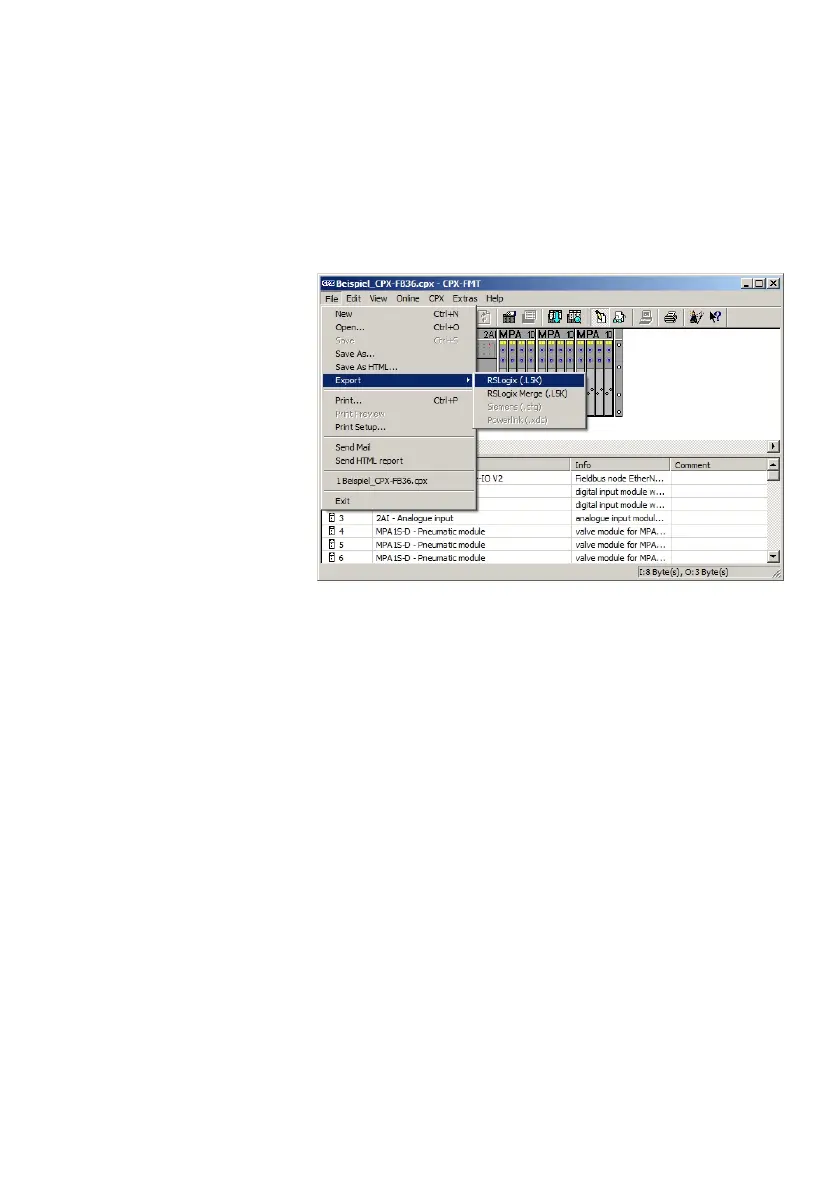
5. Open dialogue for export of the configuration:
[File] , [Export] , [RSLogix(.L5K)].
Fig. 3/12: Exporting a configuration for “Studio5000”
6. Select and save a directory and name to save the L5K file.
Importing configuration
1. Start “Studio 5000” software.
2. Open saved L5K file:
[File] , [Open] and select the saved L5K file.
3. Confirm selection with the “Open” button.
4. Select the directory and name for the file to be imported.
5. Confirm selection with the “Import” button.
The L5K file is imported into a new project (.ACD) as an Ether
net module.



 To Next Page