3. Commissioning
3-19
Festo CPX-FB36-EN en 1611a English
2. Open the project in which the imported Ethernet module
is to be added.
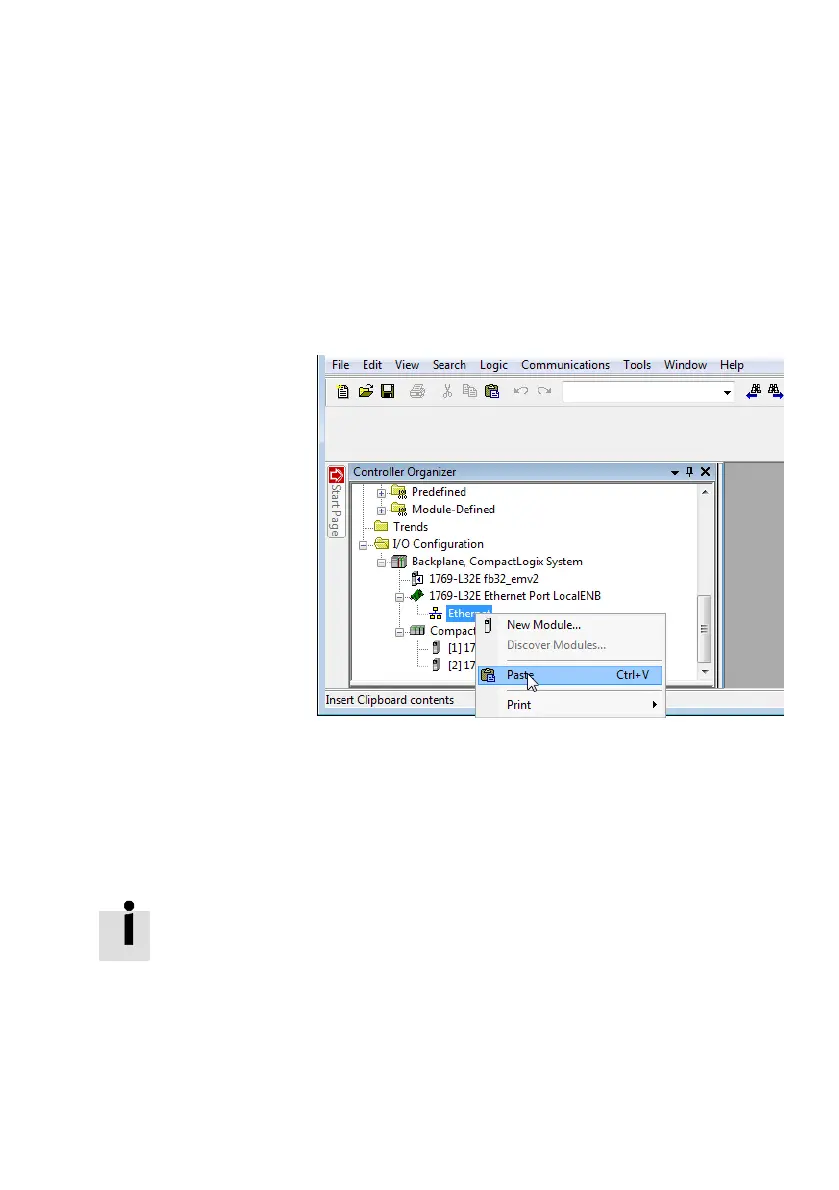
3. In the “Controller Organizer” window in the “I/O Configur
ation” directory, right click on “Ethernet” and select
“Paste” in the context menu.
Fig. 3/14: Inserting an Ethernet module
The project has now take over all required settings of the CPX
terminal. This includes, among other things, I/O data lengths,
the IP configuration, as well as all module and system para
meters.
Configuration and parameterisation are hereby completed.
Changes to the parameterisation of the modules and valve
terminals used in the CPX terminal are made through the
“Studio5000” software.



 To Next Page