ECS Series Manual — P/N LS10262-001FK-E:A 3/3/2021 17
Installing ECS Series Cabinets Installation
3.4.4 Surface Mounting the FCP-300ECS Cabinet
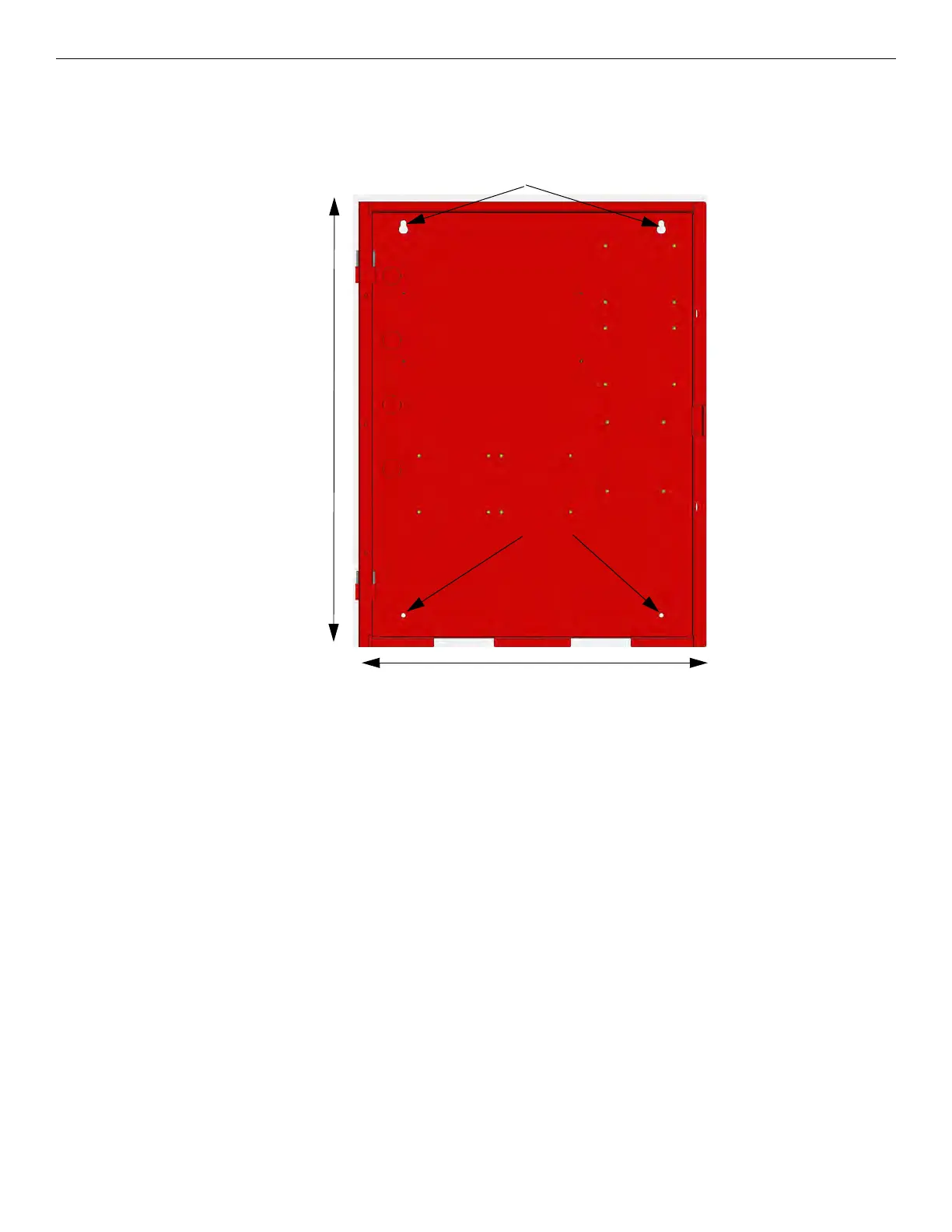
The cabinet can be mounted on the wall surface by using the mounting holes in the back of the cabinet (see Figure 3.5). For more informa-
tion, refer to Installation manual for FCP-300ECS, P/N LS10145-002FK-E.
Cabinet backbox dimensions are 26.5"H x 20"W x 4.1"D
Figure 3.5 FCP-300ECS Cabinet Mounting Holes
3.4.5 Surface Mounting the FCP-2100ECS or FIK-LOC2100 Cabinet
The FIK-LOC2100 is a combination FIK-RVM Remote Voice Module and its associated FIK-RA2000 annunciator. The FIK-LOC2100 is
compatible with the FCP-2100ECS.
26.5"
Bottom Mounting
Holes
Key Shaped Holes
20"



 To Next Page