32 ECS Series Manual — P/N LS10262-001FK-E:A 3/3/2021
Device Installation Installing the FIK-50W
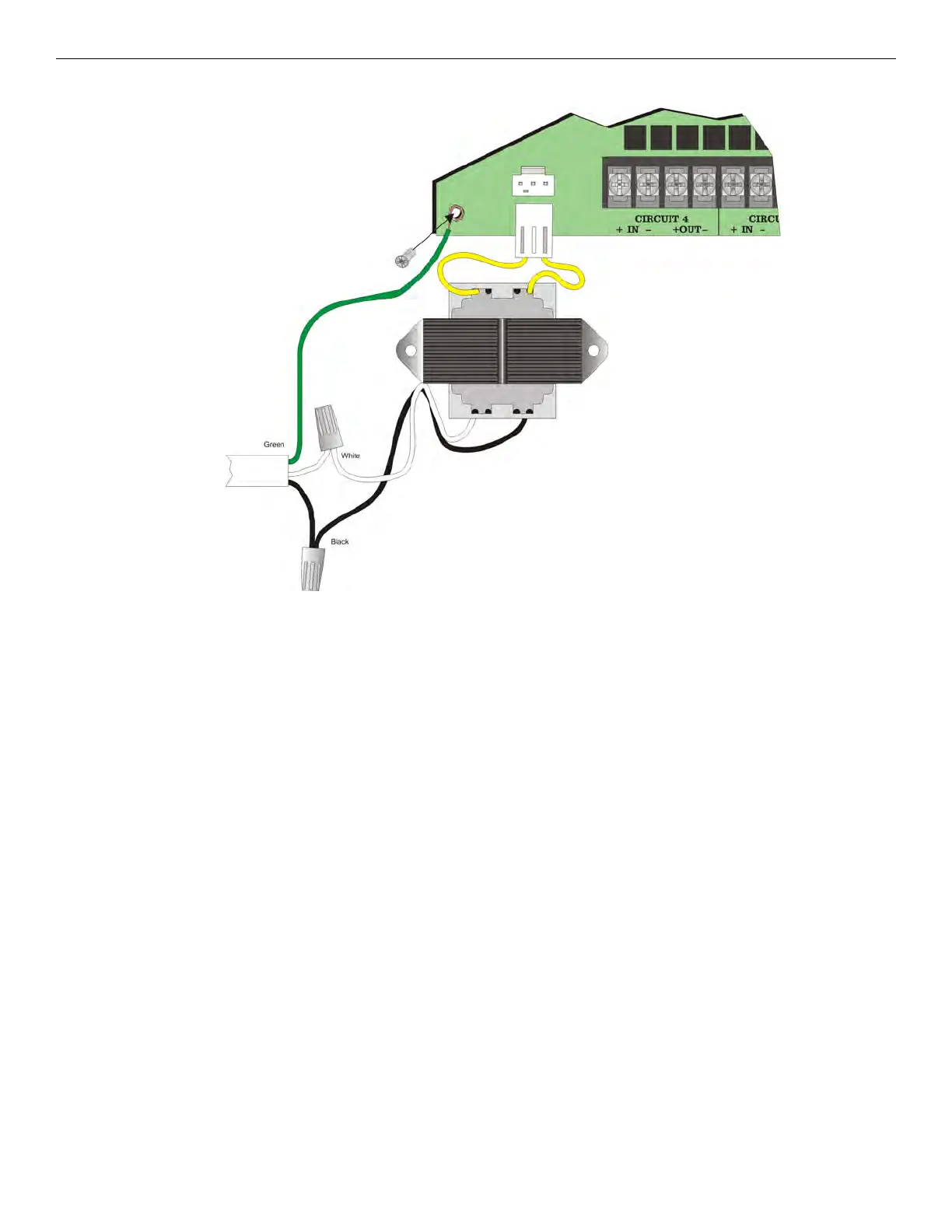
4. Connect AC power to the Transformer as Shown in Figure 4.20.
Figure 4.20 AC Connections
5. Plug the transformer output to the AC connector on the control panel as shown in Figure 4.20.
4.3.8 Backup Battery for FIK-50W
The following steps explain how to connect the batteries (refer to Figure 4.21):
1. Connect the black wire of the battery harness to the (-) side of the battery #2.
2. Connect the jumper wire provided form the positive (+) side of battery #2 to the negative side of battery #1.



 To Next Page