ECS Series Manual — P/N LS10262-001FK-E:A 3/3/2021 57
Installing the FIK-50WBU Device Installation
4.8.1 FIK-DUAL50W Board Layout
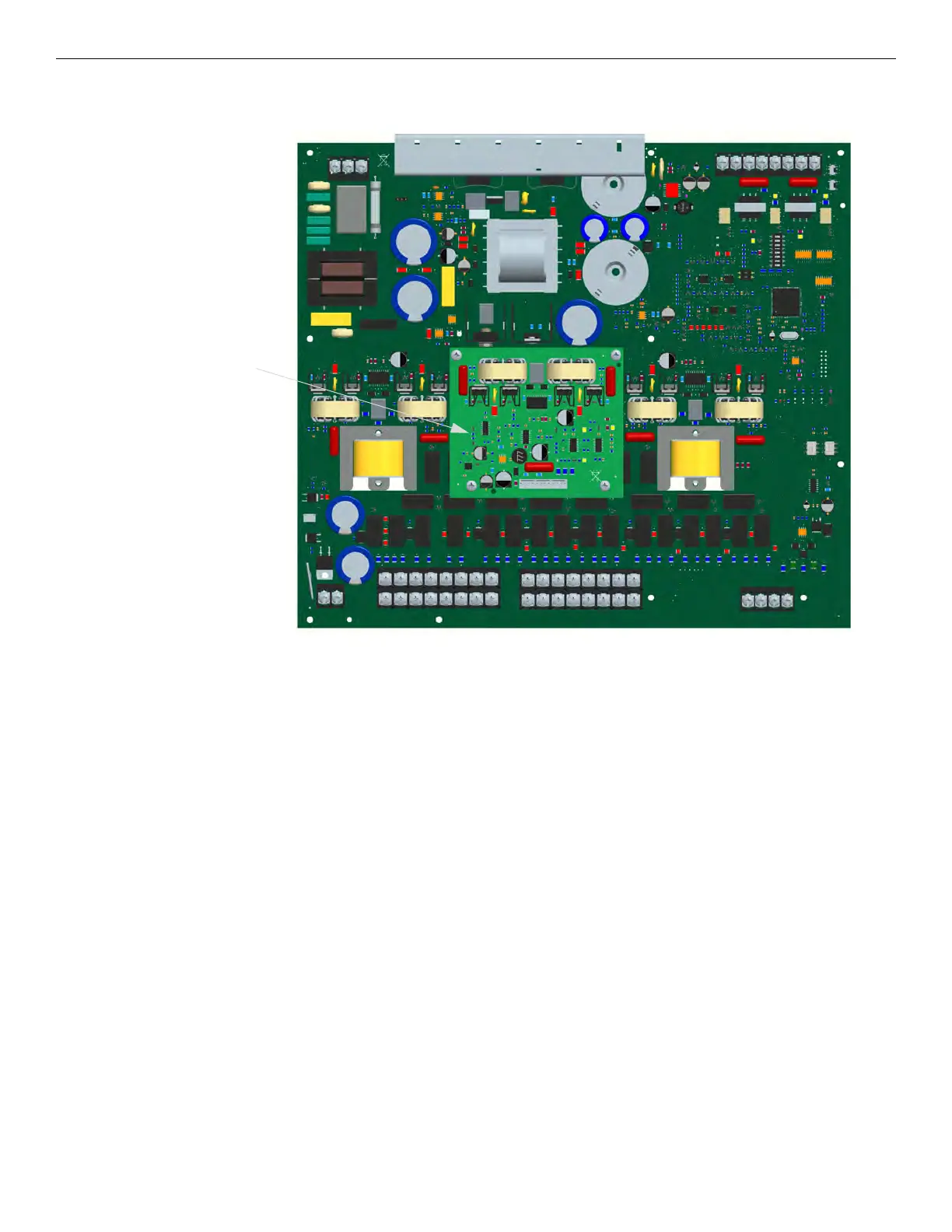
Figure 4.55 shows the location of the FIK-50WBU on the FIK-DUAL50W board.
Figure 4.55 Layout of FIK-50WBU
4.8.2 Installing the FIK-50WBU
Follow these steps to install the FIK-50WBU.
1. Make sure that all power supplied to the FIK-DUAL50W is removed.
2. Connect the backup amplifier cable harness (P/N 50116775-001) from the connector labeled “Backup Amplifier” on the FIK-
DUAL50W to the connector on the FIK-50WBU as shown in Figure 4.56.



 To Next Page